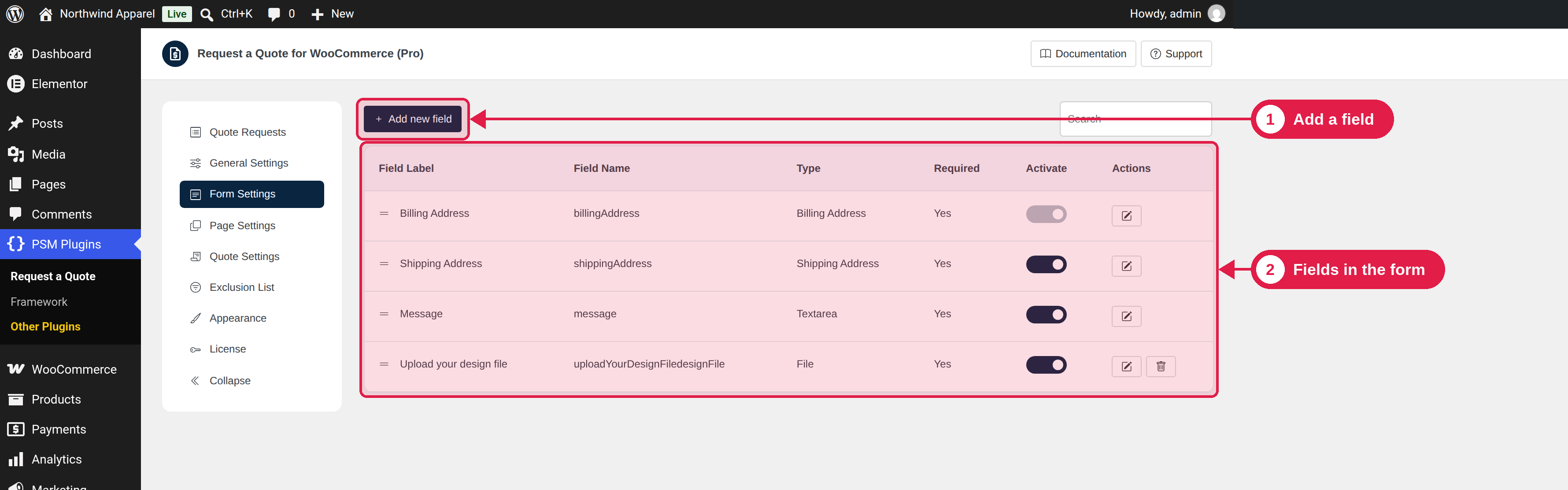
The request form is what customers fill in when they ask for a quote. In Form Settings you choose which fields are used and how they work.
Plugin Free and Pro
Where PSM Plugins → Request a Quote → Form Settings
The default fields
Field
What it contains
Billing Address
First name, last name, country, company (off by default), address lines, postcode, city, state, phone and email.
Shipping Address
The same details for delivery, without email. The customer can choose Same as billing address.
Message
A text box where the customer writes details about the request.
Edit a field
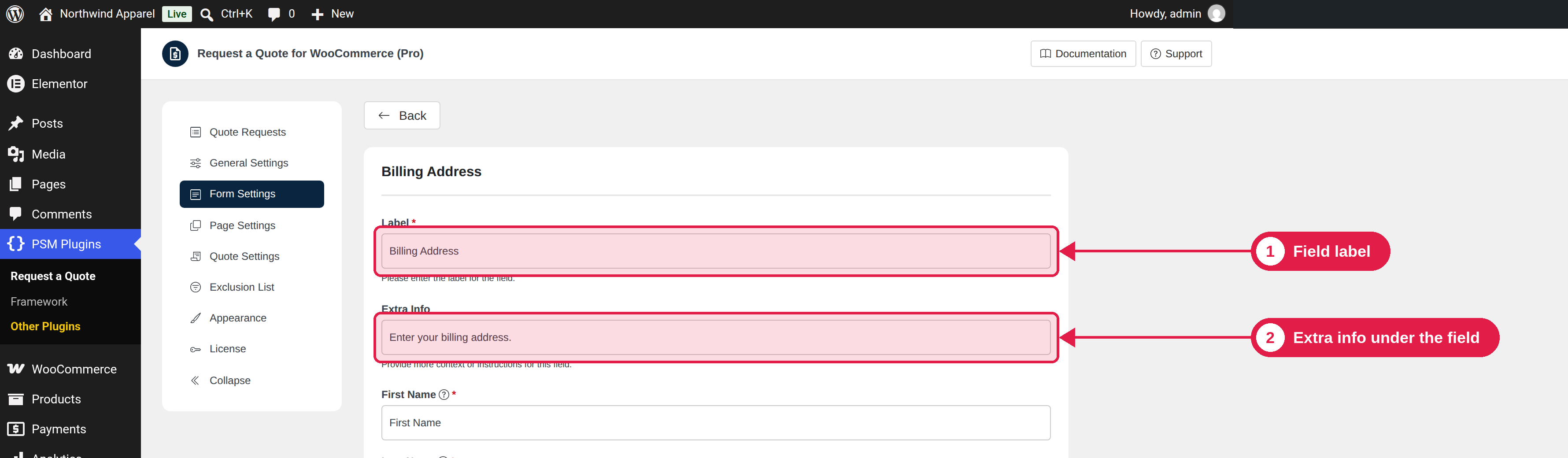
Click a field to edit it. Common settings:
Setting
What it does
Active
Turns the field on or off in the form.
Required
Customers must fill in this field before they can send the request.
Label
The field name customers see.
Extra info
A small help text under the field.
CSS class
Add your own CSS class names, separated by commas.
Placeholder
Grey example text inside an empty field. Address fields have a placeholder for each part.
Min / Max character length
(Message field) the shortest and longest text allowed.
Validation (regex)
A rule the text must follow, and an error message to show if it does not.
The phone field
The default phone rule needs a + sign
By default, the phone number must follow the rule /^\+[0-9]+$/. This means it must start with + and then have only numbers, for example +14155550123. Customers who type spaces, dashes or no plus sign see the error “Please enter a valid phone number.”
To accept other formats, edit the phone field in the Billing Address and change or clear the validation rule. You can also turn the phone field off, or make it not required.
Shipping and quote prices
If the customer fills in a shipping address, the plugin looks for your WooCommerce shipping options for that address and adds the first available shipping rate to the quote. You can change or remove it when you edit the quote.