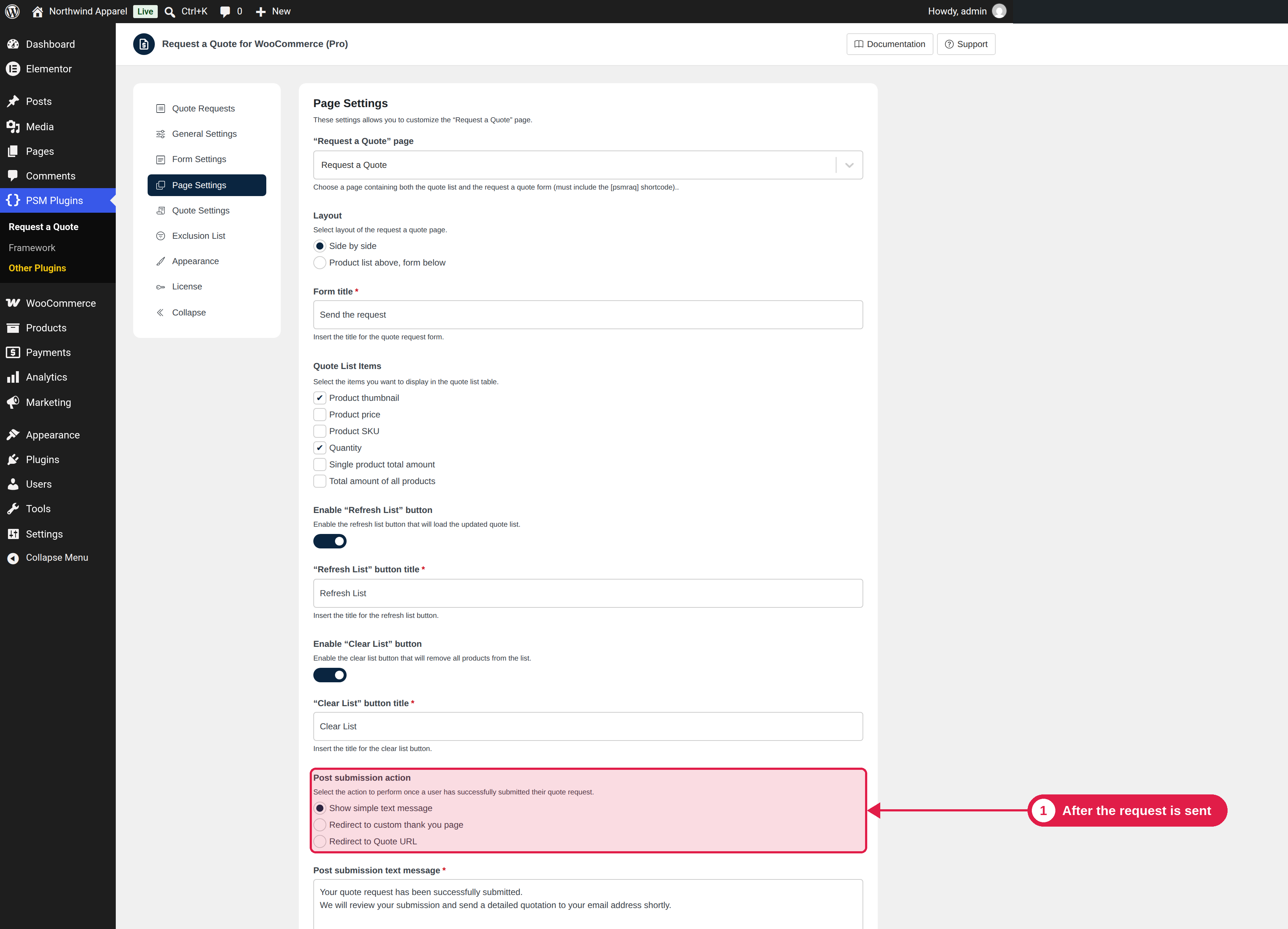
After a customer sends a request, you can show a message or send the customer to another page.
Plugin Pro only
Where PSM Plugins → Request a Quote → Page Settings
Options
Post submission action
What happens
Show simple text message
The form is replaced by your message.
Redirect to custom thank you page
The customer goes to a page you choose in Thank you page.
Redirect to Quote URL
The customer goes to the page of their new quote, where they see the status and message.
The default message is: “Your quote request has been successfully submitted. We will review your submission and send a detailed quotation to your email address shortly.” You can change it in Post submission text message. A thank you page is required when you choose to redirect to one.
Track your conversions
A custom thank you page is useful if you want to measure how many customers send requests, for example with Google Analytics.