
With this Pro feature, the plugin sends a quote by itself, a short time after the request. It is good when prices are hidden in your shop and the quote only repeats your standard prices.
Plugin Pro only
Where PSM Plugins → Request a Quote → Quote Settings → General
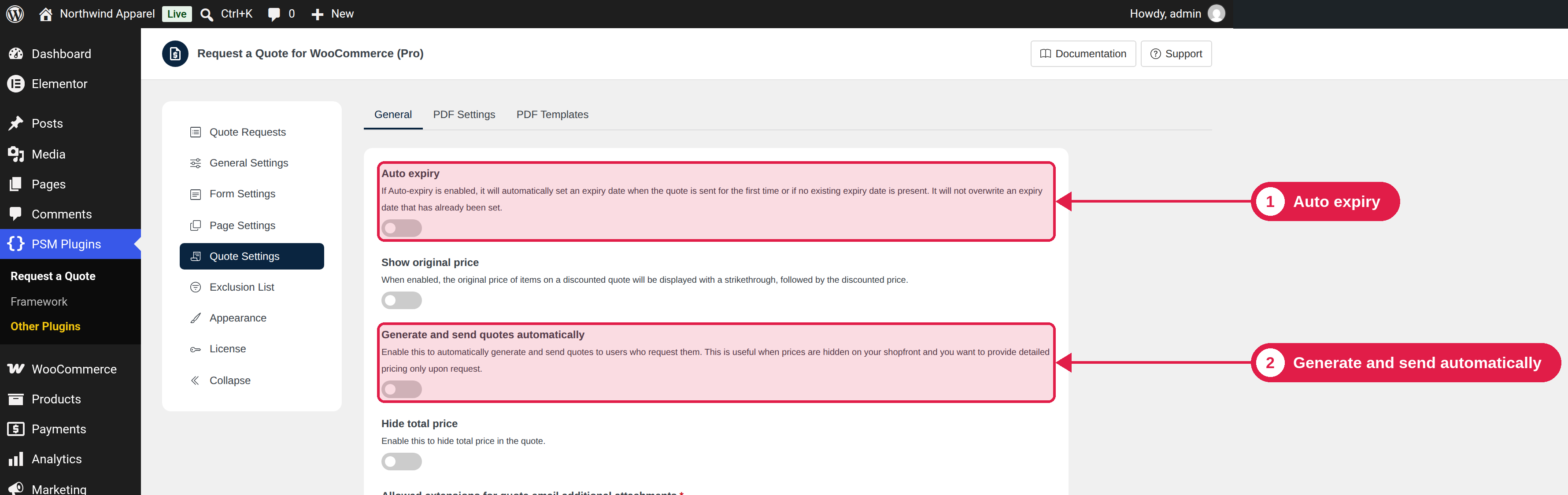
Turn it on
- Go to PSM Plugins → Request a Quote → Quote Settings → General.
- Turn on Generate and send quotes automatically.
- Choose how long to wait: a number, and Minute(s), Hour(s) or Day(s). The default is 2 hours.
- Turn on Auto expiry too (see below).
- Click Save Changes.
How it works
- A customer sends a request.
- The plugin waits for the time you set.
- If the quote is still in the New Quote Request status, it is sent, exactly as it was created. The prices are your normal product prices.
The wait gives you time to open the quote and change it. If you change the status of the order yourself before the time is over, the automatic sending is cancelled.
Turn on Auto expiry too
A quote cannot be sent without an expiry date. If Auto expiry is off and you did not set a date, the automatic send does not work. Turn on Auto expiry in the same settings page.
Tips
- Auto-send does not check the request for you. Use it only if your standard prices are fine for all requests.
- If you need to change prices for each customer, leave this off and send quotes by hand.