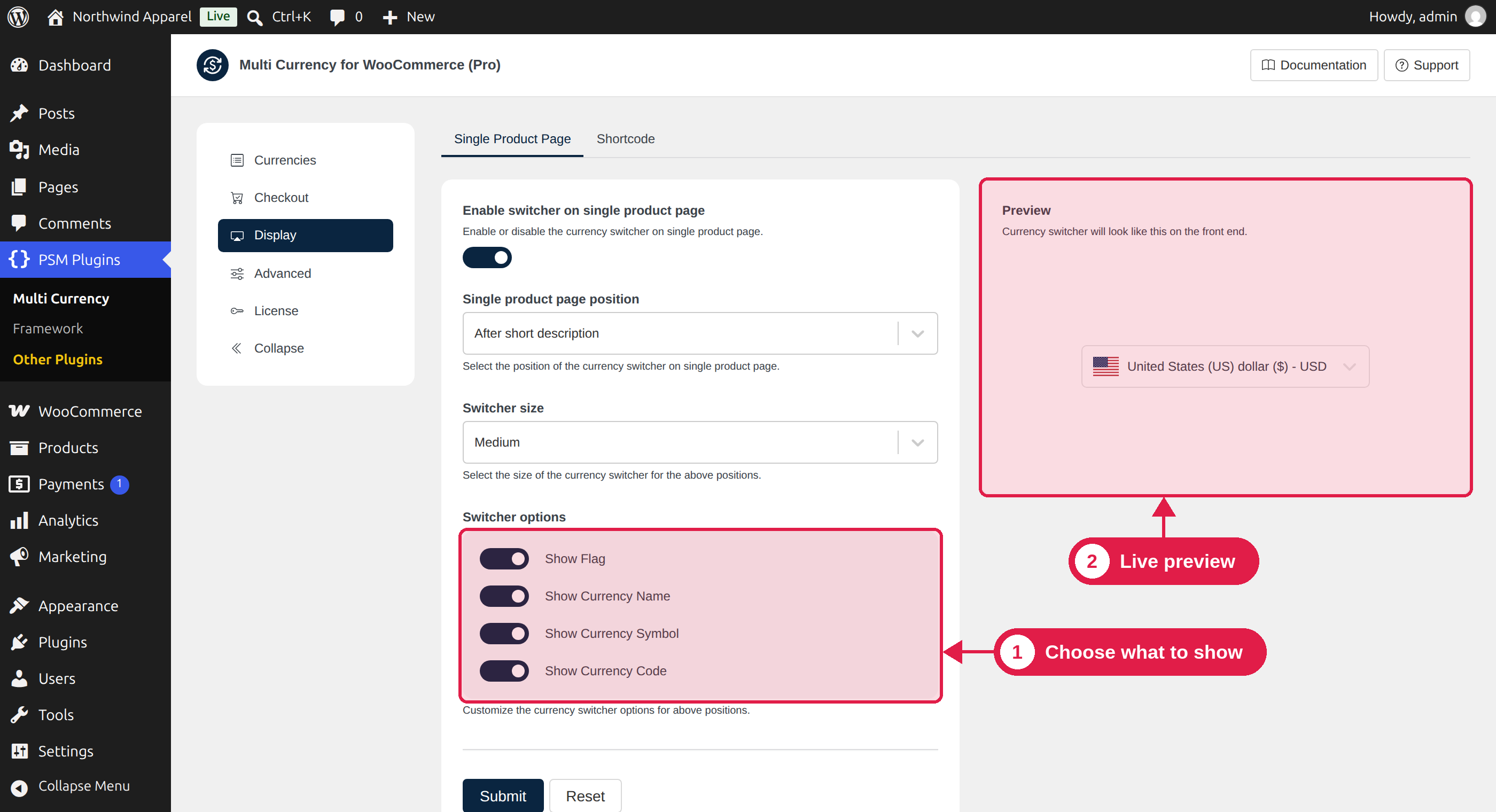
The Display tab controls the currency switcher on your single product page. It also sets the default look for the switcher when you use the shortcode without any options.
Plugin Free and Pro
Where PSM Plugins → Multi Currency → Display
Settings
Setting
What it does
Options
Enable switcher on single product page
Shows the currency switcher on every single product page.
On (default), Off
Single product page position
Where the switcher appears on the product page.
Before short description, After short description (default)
Switcher size
The size of the switcher.
Small, Medium (default)
Show Flag
Shows the country flag next to each currency.
On (default), Off
Show Currency Name
Shows the full name, for example US Dollar.
On (default), Off
Show Currency Symbol
Shows the symbol, for example $.
On (default), Off
Show Currency Code
Shows the 3-letter code, for example USD.
On (default), Off
Choose at least one item to show
At least one of Show Flag, Show Currency Name, Show Currency Symbol and Show Currency Code must be on. If all four are off, the plugin shows an error and does not save.
Live preview
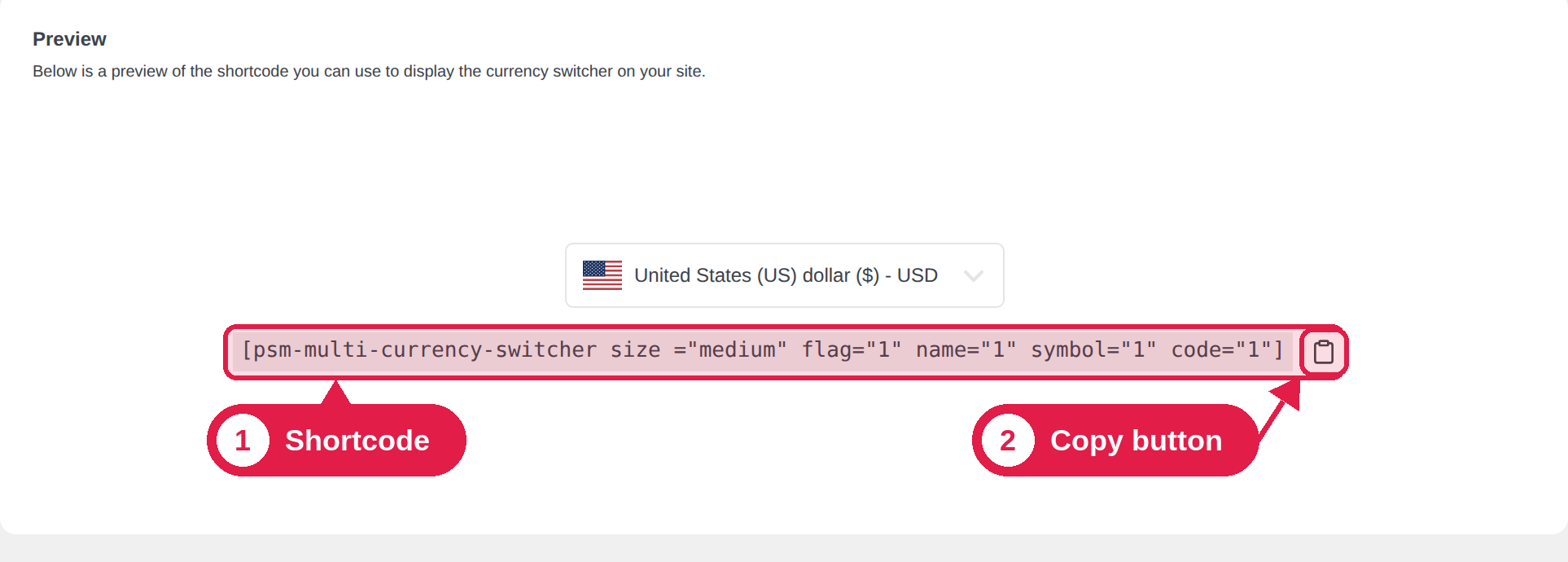
On the right side of the Display tab, you can see a Preview of how the switcher will look on your site. It changes when you change the settings. The preview also shows the shortcode that matches your choices. Click the copy button to copy it. See Currency switcher shortcode.
Save or reset
Click Submit to save your changes. Click Reset to return all Display settings to their default values.
Show the switcher in other places
The Display tab only controls the product page. To show the switcher in your header, a sidebar, the shop page or any other page, use one of these:
The PSM Multi Currency Switcher block in the WordPress editor.
The PSM Multi Currency Switcher widget in Elementor.