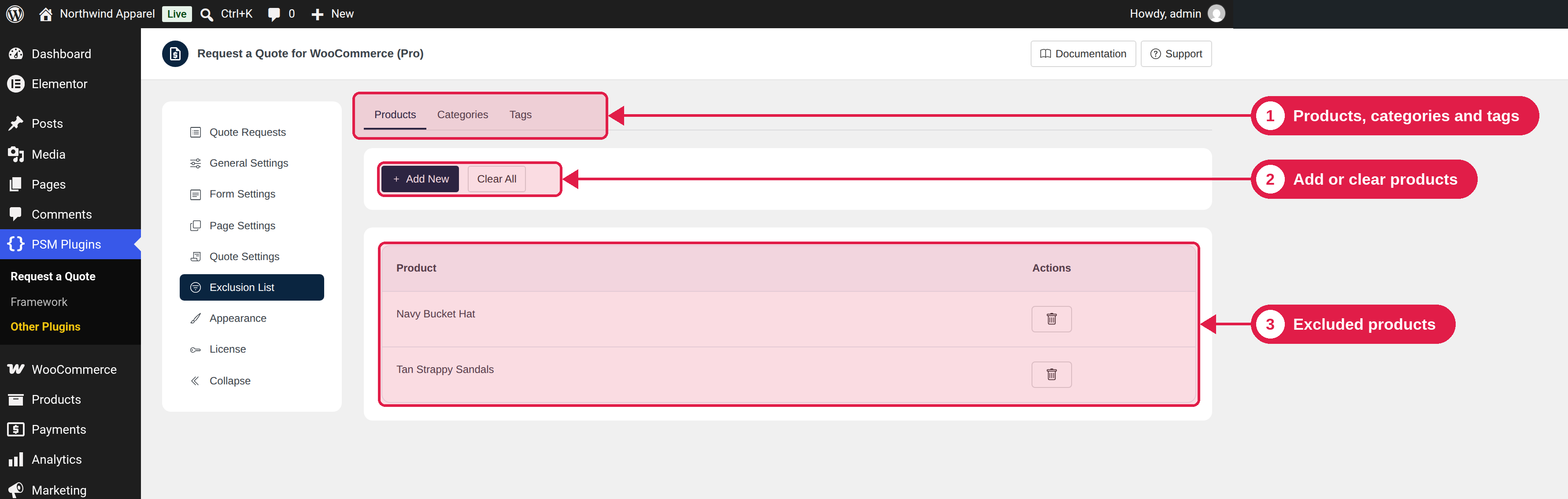
The exclusion list lets you control which products can use the Add to Quote button. You add products, categories and tags to a list. Then you choose if the list is a list of products to skip, or the only products to include.
Plugin Pro only
Where PSM Plugins → Request a Quote → Exclusion List
Build your list
Go to PSM Plugins → Request a Quote → Exclusion List.
Use the Products, Categories and Tags sections. Click Add New and choose the items.
To remove one item, click its remove button and confirm. To empty a section, click Clear All.
Choose how the list works
Go to General Settings and find the Exclusion list setting:
Option
What it does
All products except excluded (default)
The button shows on every product except the ones in your list.
Excluded products only
The button shows only on the products in your list.
A product matches the list if the product itself, one of its categories, or one of its tags is in the list.
Examples
You want
Do this
No quotes for the category “Sale items”
Add the category to the list, and choose All products except excluded.
Quotes only for the category “Bulk orders”
Add the category to the list, and choose Excluded products only.