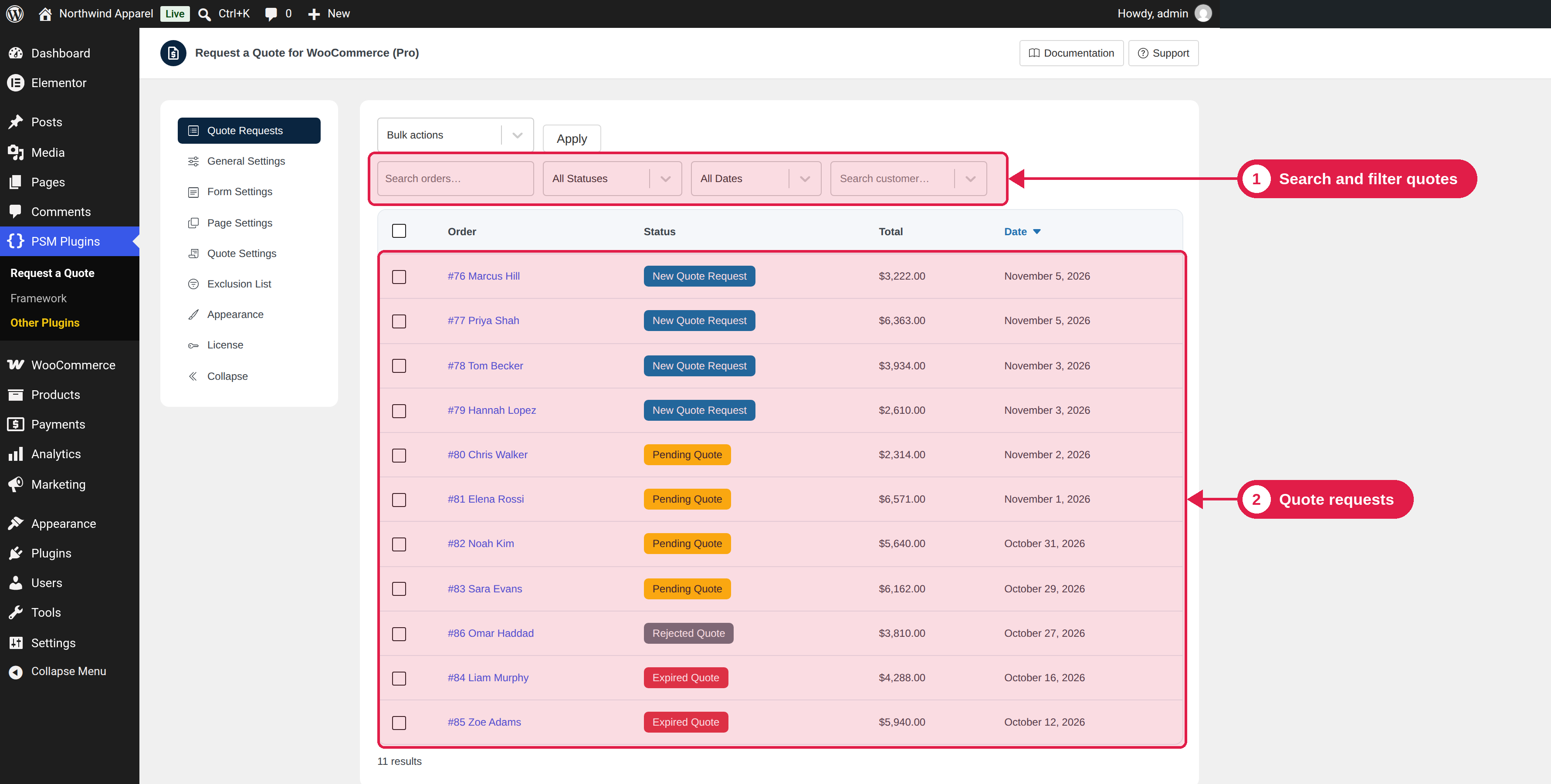
The Quote Requests tab shows all your quote requests in one list. You can search, filter and run actions on many quotes at once.
Plugin Free and Pro
Where PSM Plugins → Request a Quote → Quote Requests
Find a quote
Use the tools above the list:
- Search orders: type a word, a name or a number.
- Status: show only one status, for example New Quote Request.
- Date: show quotes of one month.
- Search customer: show the quotes of one customer.
Click the column titles Total and Date to sort the list. Each page shows 20 quotes.
Bulk actions
- Tick the quotes you want, or tick the box in the table header to select all on the page.
- Choose an action in the Bulk actions box: change the status of the quotes, or delete them.
- Click Apply.
Deleting cannot be undone
When you delete quotes, the plugin asks you to confirm. Deleted orders are removed, so use this carefully.
Open a quote
Click a quote to open it as a WooCommerce order. See Edit and send a quote. You can also find all quotes in WooCommerce → Orders.