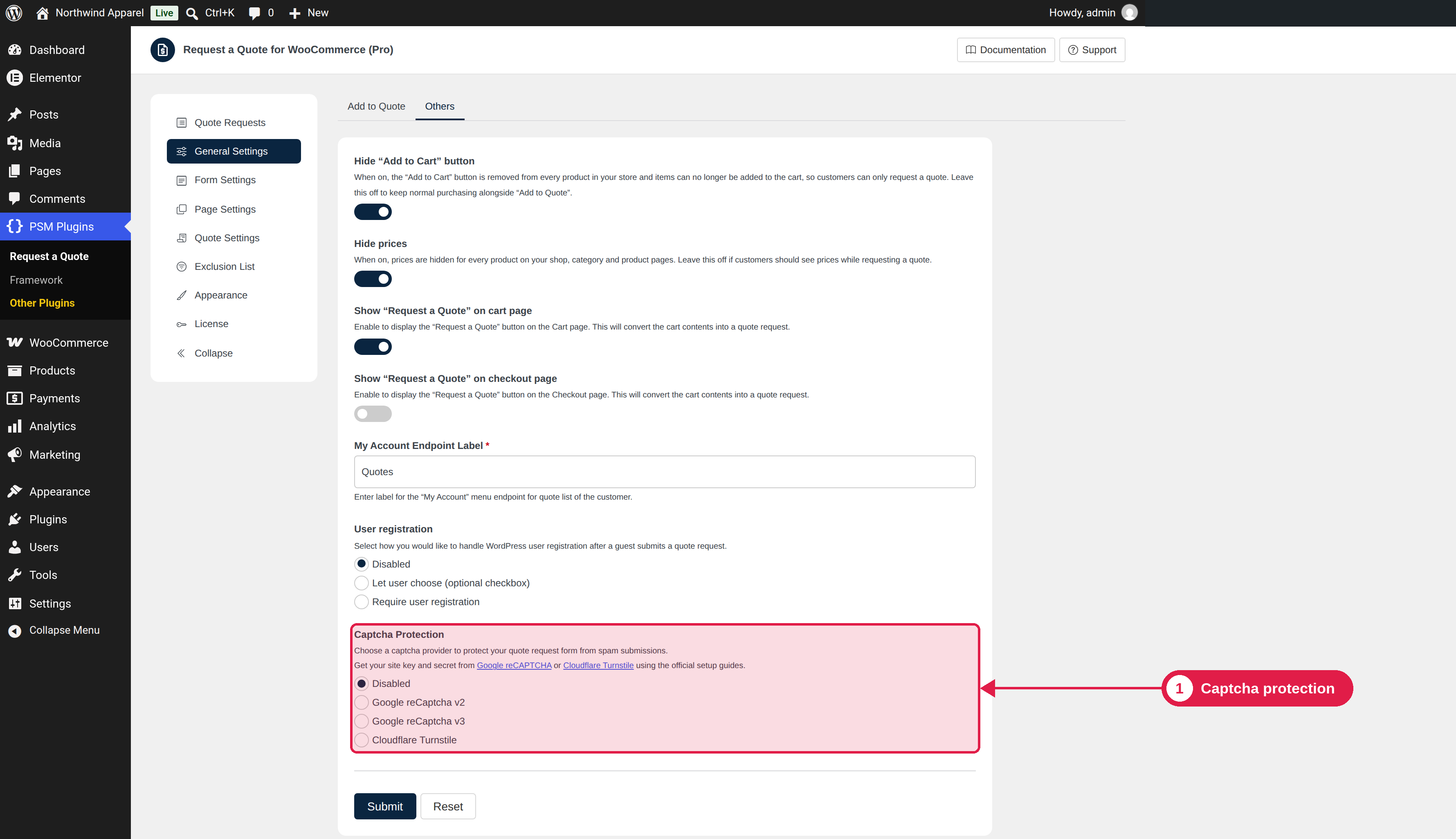
Spam protection

Spam bots can fill in your quote form. You can protect it with Google reCAPTCHA or Cloudflare Turnstile. Both services are free.

Plugin Free and Pro
Where PSM Plugins → Request a Quote → General Settings

Choose a service

Option
Notes
Disabled (default)
No spam protection.
Google reCaptcha v2
Shows a checkbox that the visitor ticks.
Google reCaptcha v3
Works in the background and gives each visitor a score. Visitors do not need to do anything.
Cloudflare Turnstile
A privacy-friendly check from Cloudflare.

Set it up

  1. Create a site in the service you chose, and copy the site key and the secret key.
  2. Go to PSM Plugins → Request a Quote → General Settings.
  3. Choose the service in Captcha Protection.
  4. Paste the site key and the secret key in the boxes that appear.
  5. Click Save Changes.

For v2 and v3, create keys of the same type. A v2 key does not work with v3.

Keep the secret key private

Only the site key is used in the visitor’s browser. Never share the secret key.

Troubleshooting

Problem
What to do
The form says the check failed
Make sure the keys are copied without spaces, and that they are for the service and version you selected.
The captcha does not appear
Clear your cache and make sure your site address is added to the allowed domains in the service.
Real customers are blocked
With v3, try reCAPTCHA v2 or Turnstile.

What are your feelings

  • Happy
  • Normal
  • Sad