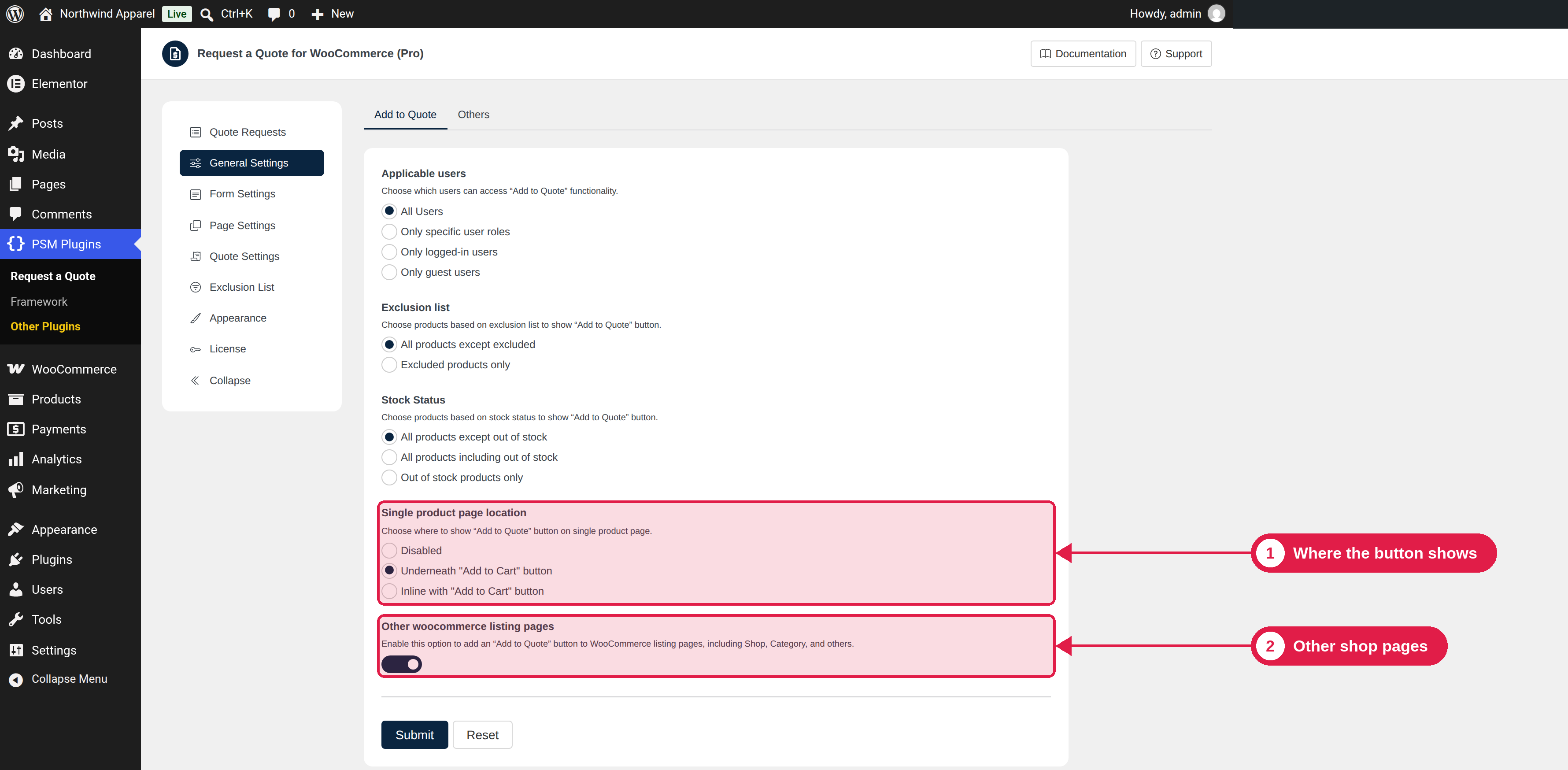
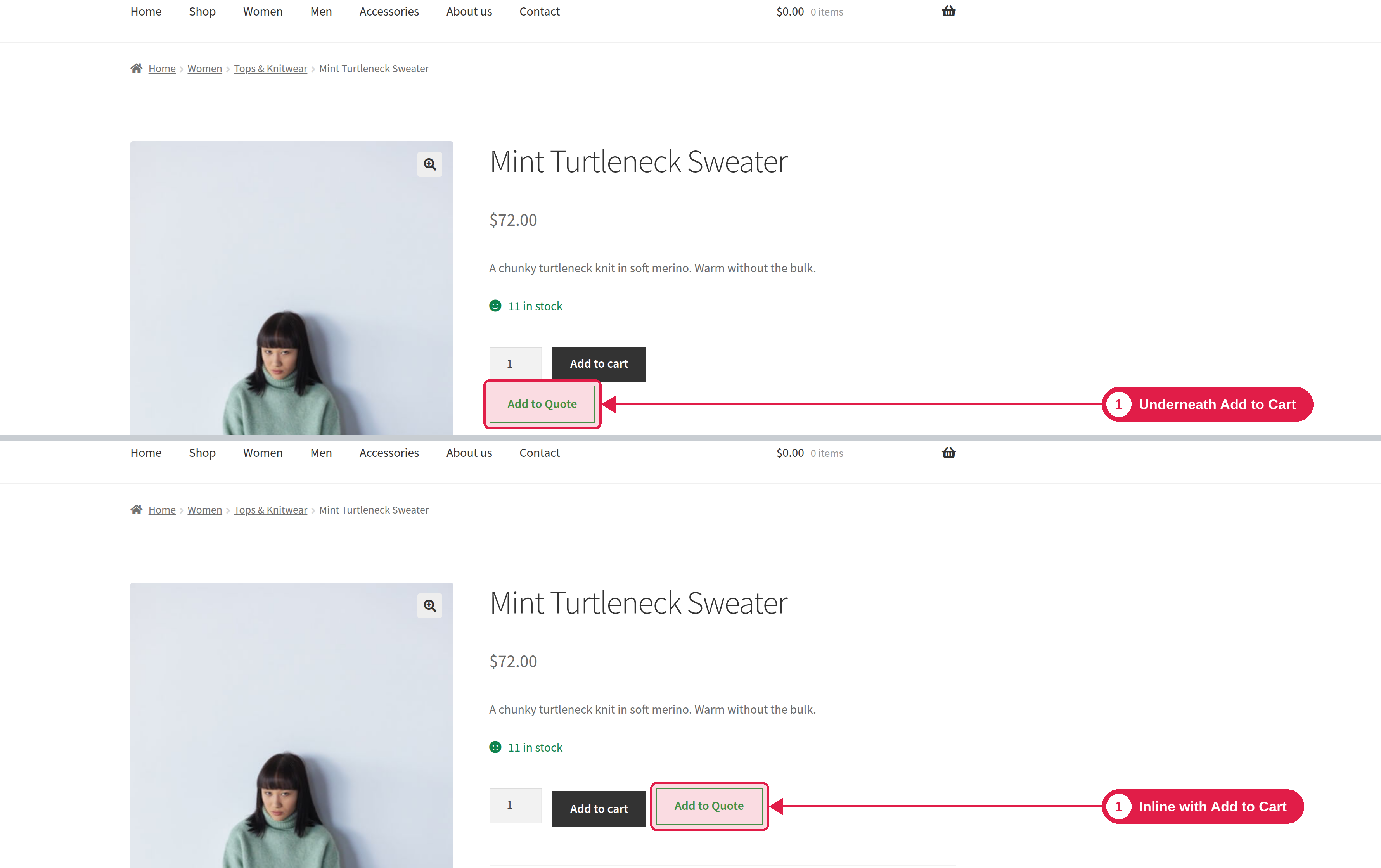
The Add to Quote button lets customers put a product in their quote list. This page shows where the button appears and how to change its place.
Plugin Free and Pro
Where PSM Plugins → Request a Quote → General Settings
Settings
Setting
What it does
Options
Single product page location
Where the button appears on a product page.
Underneath “Add to Cart” button (default), Inline with “Add to Cart” button, Disabled
Show on other WooCommerce listing pages
Adds the button to the shop page, category and tag pages, and other product lists.
On (default), Off
“Other WooCommerce listing pages” also include product lists made with WooCommerce shortcodes and blocks, page builder product widgets, and related and upsell products.
Where the button shows
Product type
Product page
Shop and category pages
Simple
Yes
Yes
External
Yes
Yes
Grouped
Yes. The customer chooses quantities first.
No. The customer opens the product page.
Variable
Yes. The customer chooses the options first.
No. The customer opens the product page.
When the button is not shown
The button does not appear for a product if:
The product has no price in WooCommerce, or is not visible or purchasable.
The product type is not simple, variable, grouped or external.
When a customer clicks the button, the product is added to a quote list. A message such as “Added to Quote List” appears with a Browse Quote List link. If the product is already in the list, the customer sees “Already in Quote List”. You can change these texts. See Button styling.
The list is kept for one day and is reset to one day each time the customer visits. Customers do not need to log in to build a list.