Email overview

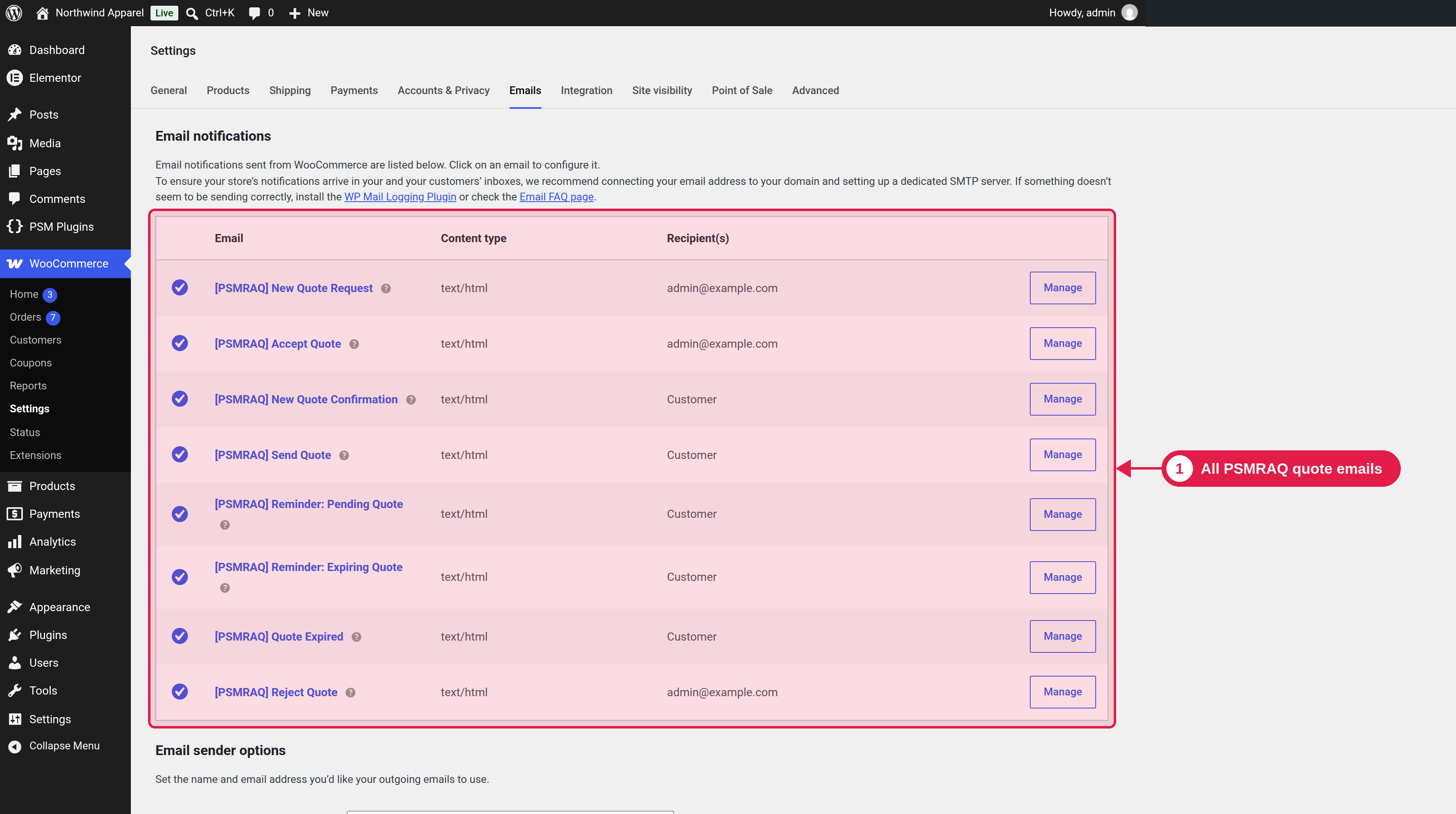
The plugin sends emails at each step of the quote process. All of them use the WooCommerce email system, so they use your WooCommerce email design (logo, colours and footer).

Plugin Free and Pro
Where WooCommerce → Settings → Emails

The emails

Email
Sent to
When
Plugin
[PSMRAQ] New Quote Request
You
A customer sends a request.
Free and Pro
[PSMRAQ] New Quote Confirmation
Customer
A customer sends a request. It confirms that you got it.
Free and Pro
[PSMRAQ] Send Quote
Customer
You send the quote.
Free and Pro
[PSMRAQ] Accept Quote
You
A customer accepts a quote.
Free and Pro
[PSMRAQ] Reject Quote
You
A customer rejects a quote.
Free and Pro
[PSMRAQ] Quote Expired
Customer
A quote expires.
Free and Pro
[PSMRAQ] Reminder: Pending Quote
Customer
A quote has waited for an answer for some days.
Pro
[PSMRAQ] Reminder: Expiring Quote
Customer
A quote will expire in some days.
Pro

Change an email

  1. Go to WooCommerce → Settings → Emails.
  2. Click the name of the email.
  3. Change the settings and click Save changes.

See Customize emails in WooCommerce for the settings that all emails share.

What are your feelings

  • Happy
  • Normal
  • Sad