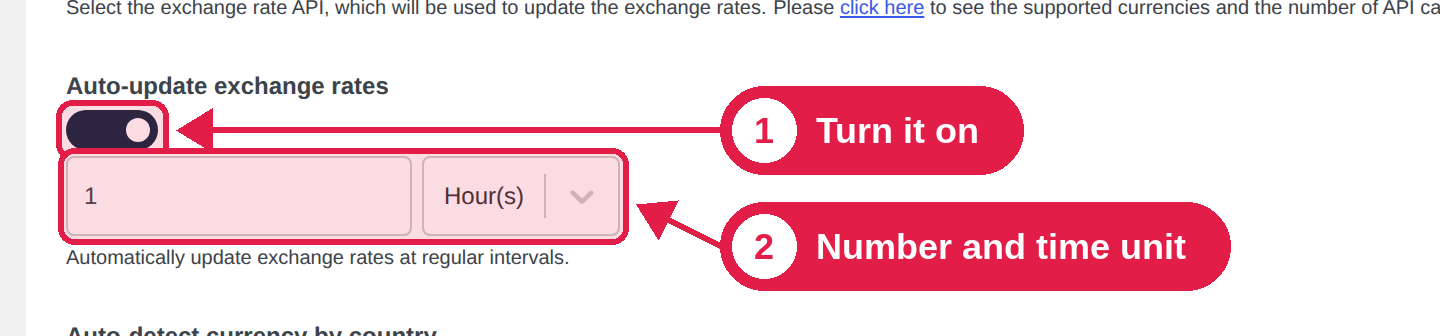
This Pro feature updates your exchange rates on a schedule, so you never have to click the refresh button. You choose how often.
Plugin Pro only
Where Advanced tab
Turn it on
Go to PSM Plugins → Multi Currency → Advanced.
Turn on Auto-update exchange rates.
Enter a number, and choose Minute(s), Hour(s) or Day(s). For example, 1 and Hour(s) means every hour.
Click Submit.
What is updated
Only currencies in Auto rate mode are updated. Manual rates are never changed.
The rate is loaded from the service you chose. See Exchange rates.
If a service cannot be reached, the old rate is kept.
Watch the service limits
Each update makes one request for each Auto currency. If you update every few minutes and use many currencies, you can reach the limit of a free plan. Choose a time that fits your plan. For most stores, once an hour or once a day is enough.
It uses WordPress scheduled tasks
The update runs with WordPress scheduled tasks (WP-Cron). On a site with very few visitors, a task can run a little late. Ask your host to set up a server cron job if you need exact timing.