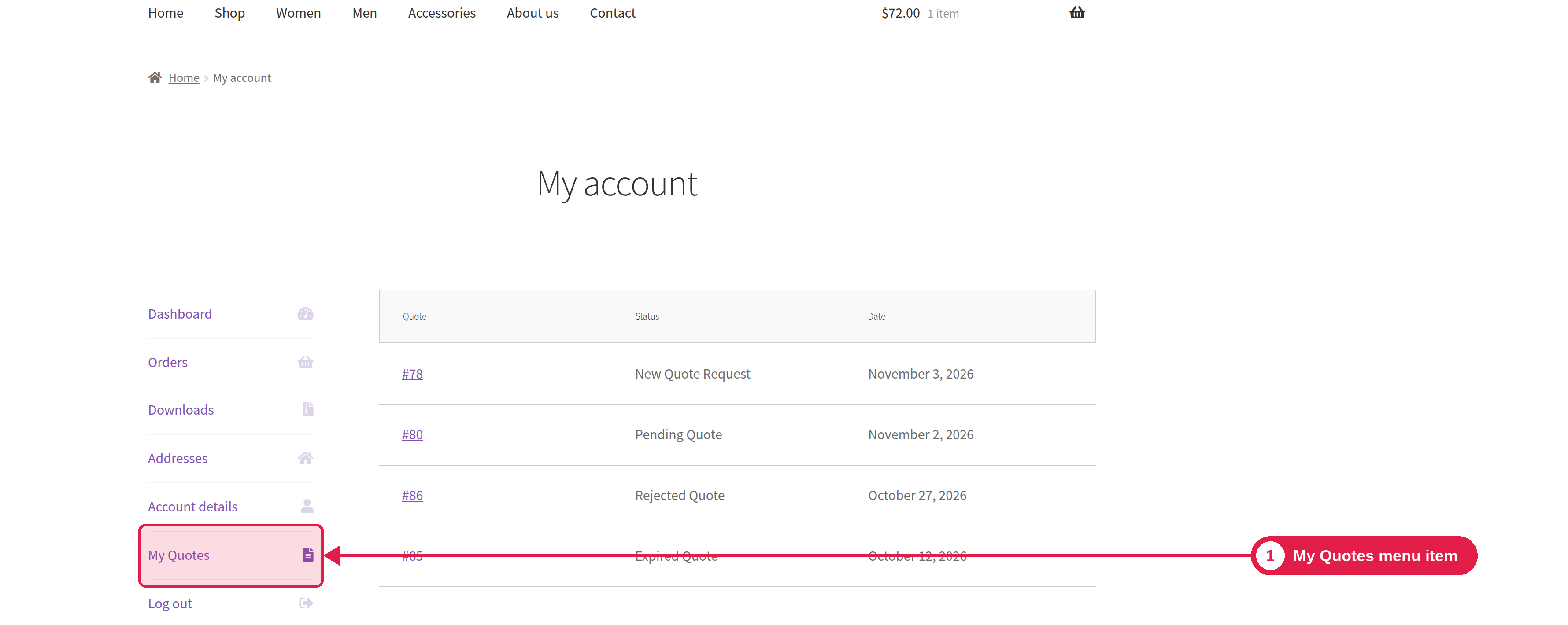
Customers who have an account can see all of their quotes in the My Account area of your shop.
Plugin Free and Pro
Where My Account → Quotes
What the customer sees
A new menu item is added to My Account, just before Log out. It opens a list of the customer’s quotes with the Quote number, the Date and the Status. The list is split into pages. The customer clicks a quote to open it. See View, accept and reject a quote.
Change the menu name
The menu item is called Quotes. To change it, go to PSM Plugins → Request a Quote → General Settings and edit My Account Endpoint Label.
Troubleshooting
Problem
What to do
The menu item shows a “page not found” error
Go to Settings → Permalinks and click Save Changes. This refreshes your site's links.
A customer cannot see a quote
Quotes are linked to an account by email address. Check that the customer logged in with the same email they used in the request.