
A quote is valid only for a time that you choose. After that, the customer cannot accept it. This protects you from old prices.
Set the expiry for one quote
In the Quote Options box of the order, choose a date in Expires before you send the quote. See Edit and send a quote.
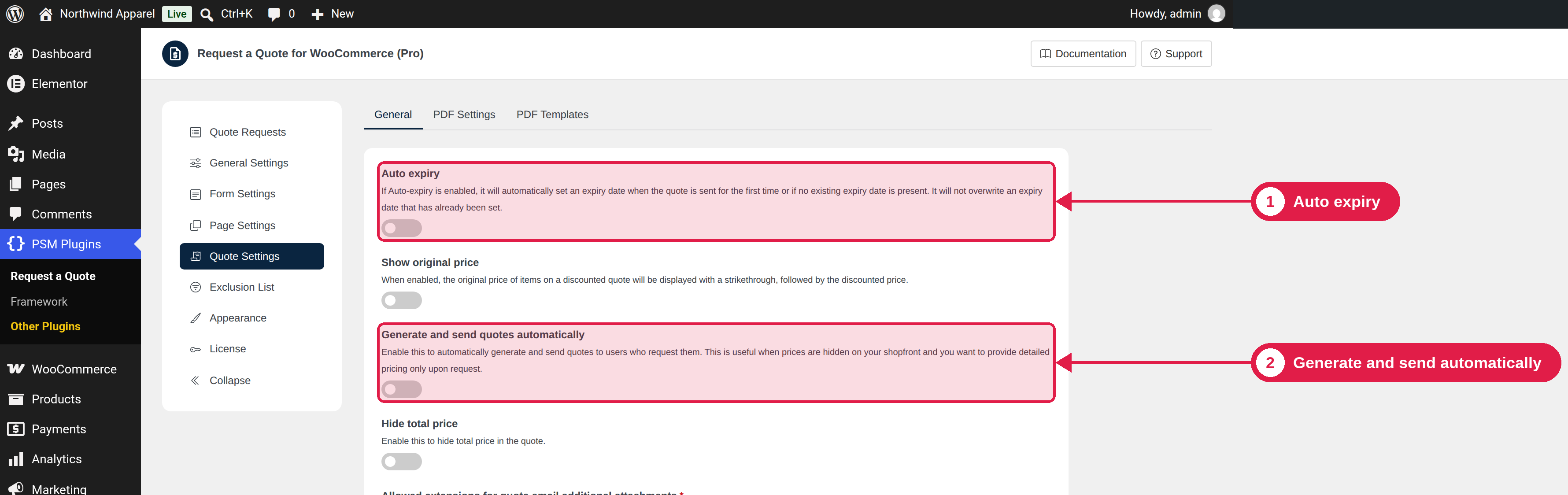
Auto expiry (Pro)
With Pro, you can set a default expiry period, so you do not need to choose a date every time:
- Go to PSM Plugins → Request a Quote → Quote Settings → General.
- Turn on Auto expiry.
- Enter the number of days. The default is 30.
- Click Save Changes.
When you send a quote that has no expiry date, the plugin sets the date to today plus these days. It never changes an expiry date that you already set.
What happens at expiry
- At the expiry time, the status changes to Expired Quote, and a note is added to the order.
- The Quote Expired email is sent to the customer.
- The customer can no longer accept or reject the quote. They see the message of the Expired status.
- If you change the expiry date of a Pending Quote, the timer is updated.
The status changes with WordPress scheduled tasks (WP-Cron). On a site with very few visitors, the change can be a little late. If you need exact timing, ask your host to set up a server cron job.
Reminders (Pro)
Pro can email the customer before a quote expires. See Reminder emails.