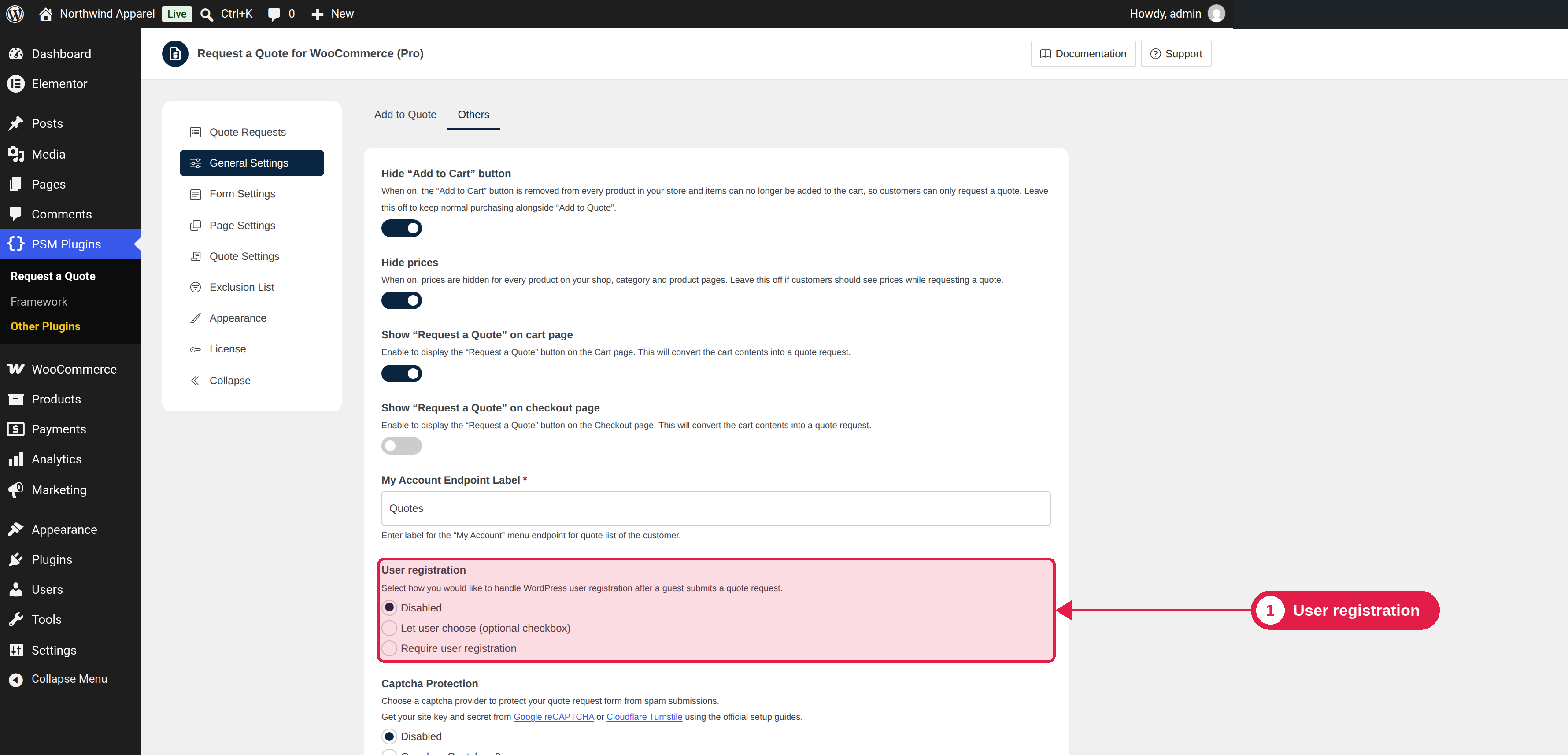
When a guest sends a quote request, the plugin can also create a WordPress account for them. A customer with an account can see all quotes in My Account.
Plugin Free and Pro
Where PSM Plugins → Request a Quote → General Settings
Options
Option
What happens
Disabled (default)
No account is created. If the customer's email already belongs to an account, the quote is linked to that account.
Let user choose (optional checkbox)
The form shows a Create an account checkbox. An account is created only if the customer ticks it.
Require user registration
An account is always created for a guest when the request is sent.
How the account is made
The account uses the customer’s email address as the username, and a random password. The first and last name are saved to the account. If an account with this email already exists, no new account is made, and the quote is linked to the existing account.
The customer needs to set a password
The plugin does not show the random password. A customer who wants to log in should use the Lost your password? link on your login page to set a password.
Why it matters
Customers must be logged in to use some features, such as the Ask New Quote button. See Ask for a new quote. Customers can open a quote from the email link without an account.