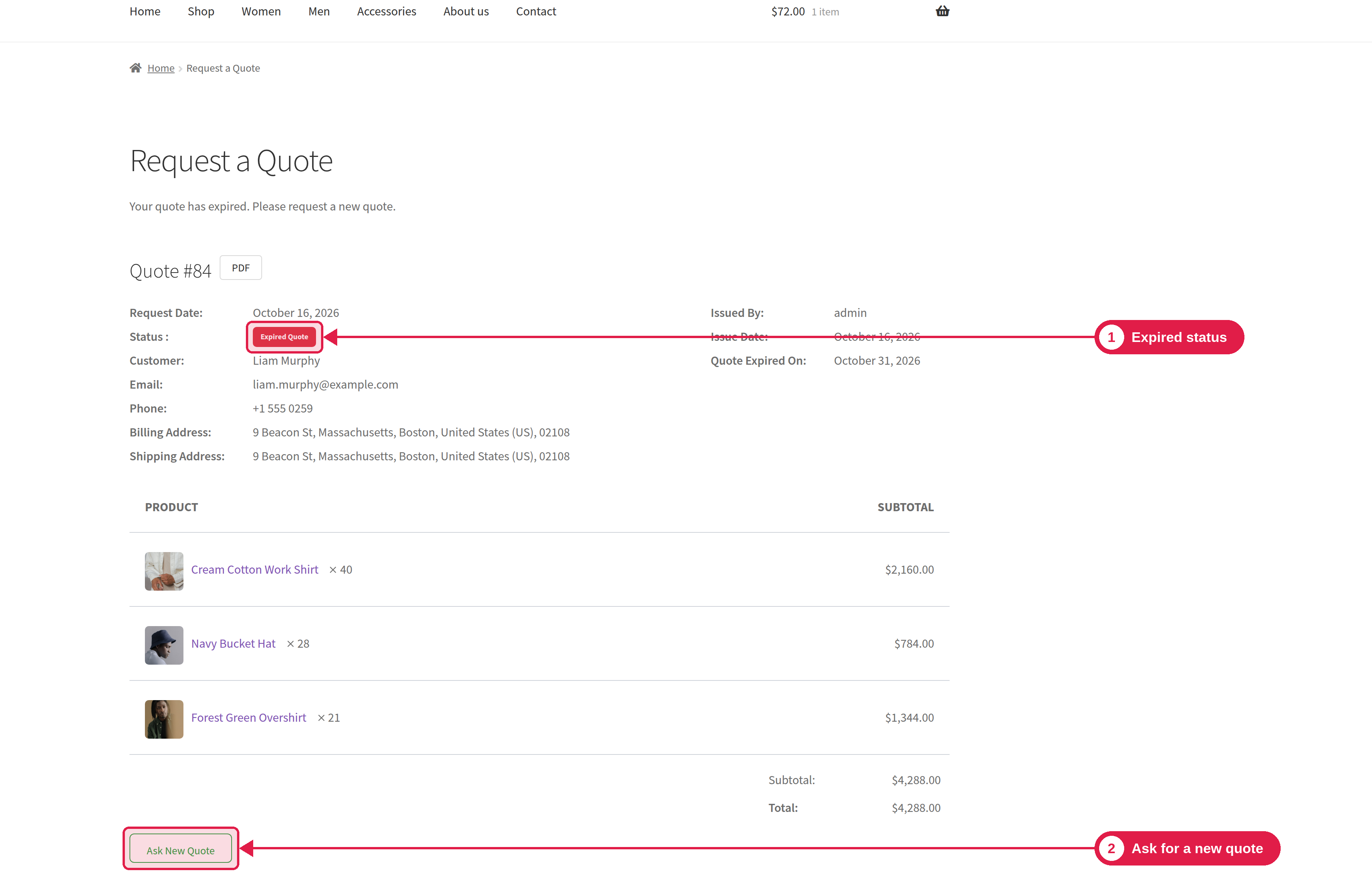
When a quote has expired or was rejected, the customer can ask for a new one with one click. They do not need to build the list again.
Plugin Pro only
Where Quote page; PSM Plugins → Request a Quote → Appearance → Buttons
How it works
The customer opens an Expired or Rejected quote.
The customer clicks Ask New Quote.
The products and quantities of the old quote are copied to a new quote list.
The customer goes to the Request a Quote page, checks the list and sends a new request.
The customer must be logged in to the account that owns the quote.
Change or turn off the button
Go to PSM Plugins → Request a Quote → Appearance → Buttons. In the Ask New Quote section you can turn the button on or off, change its text, and change its colours. See Button styling.