PSM Plugins → Request a Quote → General Settings → Others
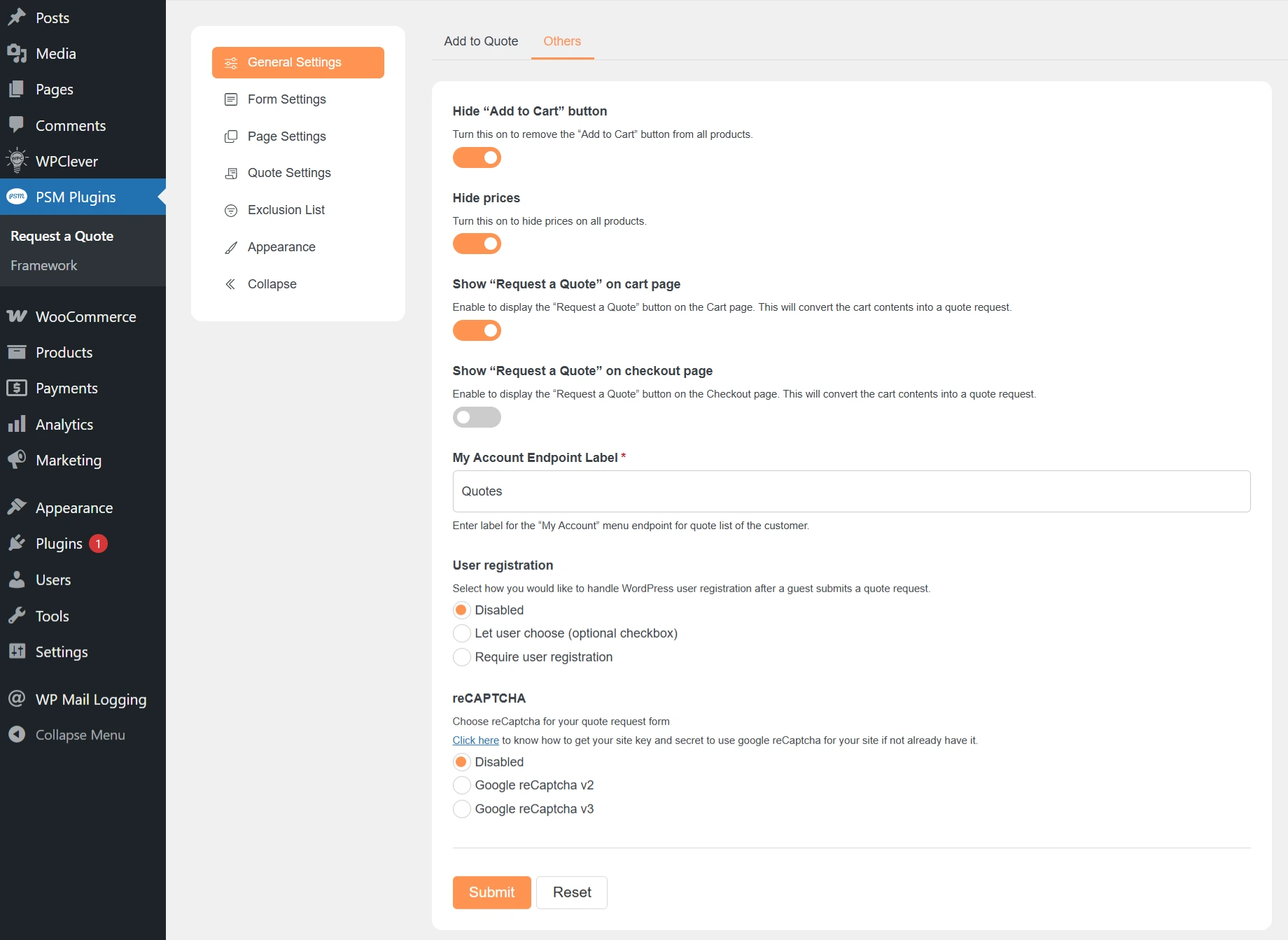
The Others settings control how quoting works across your store.This includes cart behavior, price visibility, user accounts, and spam protection.
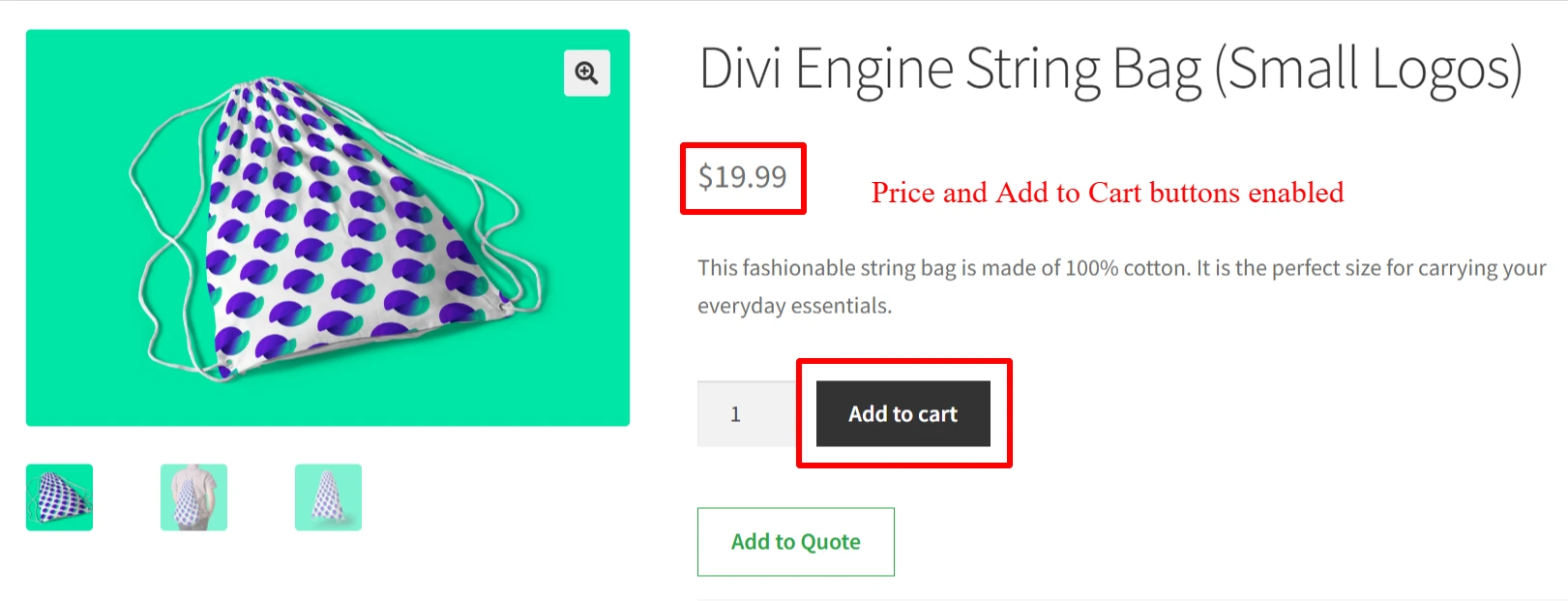
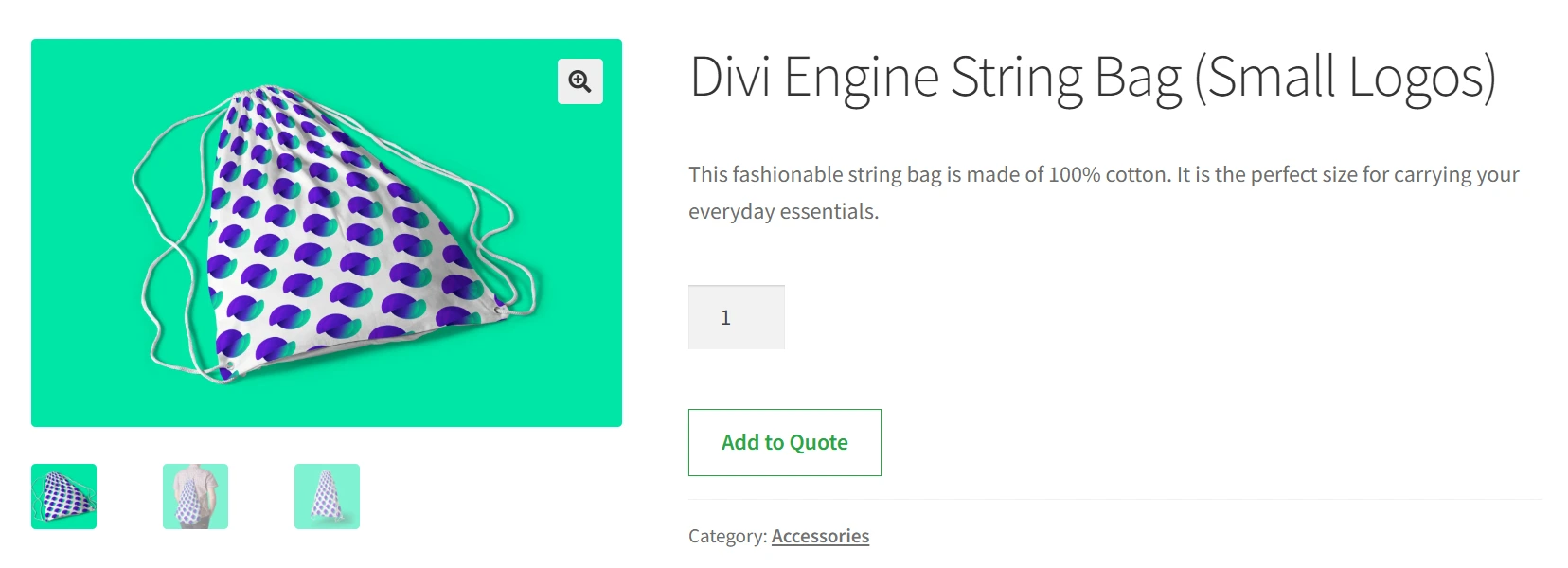
Enable this option to remove the Add to Cart button from all products.
Use this when you want customers to request quotes only and not place direct orders.
Enable this option to hide product prices across the store.
This is useful when prices vary or should be shared only after a quote review.
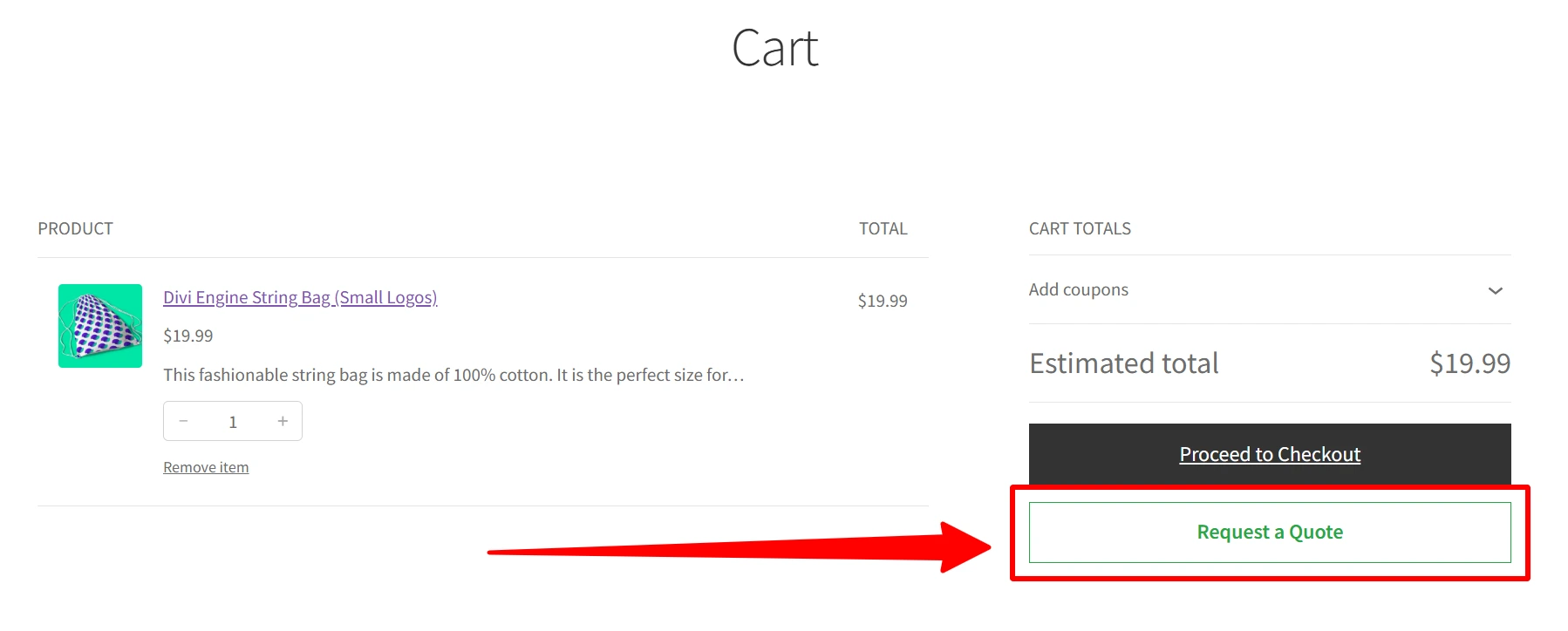
Enable this option to show a Request a Quote button on the Cart page.
When clicked, the cart items are converted into a quote request.
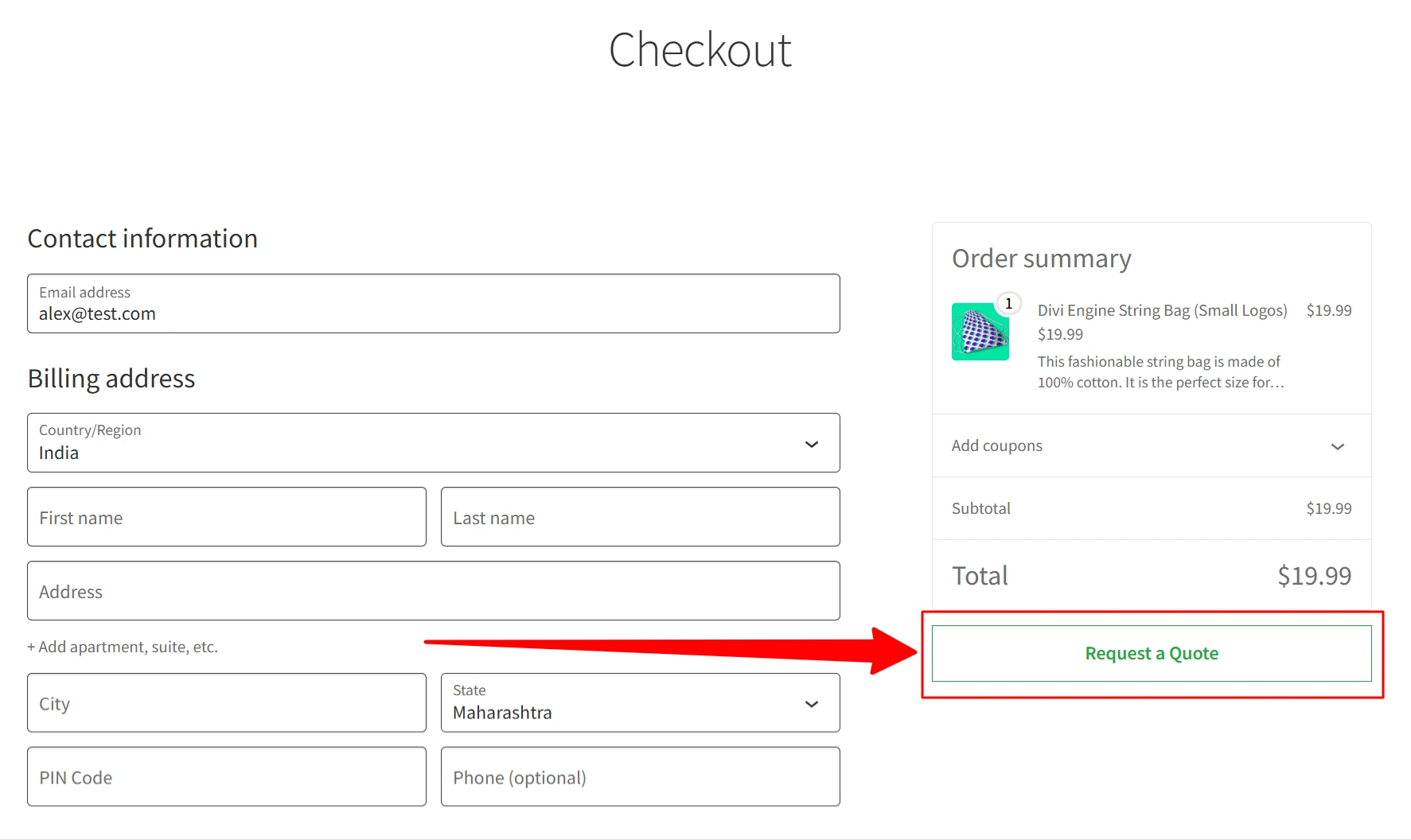
Enable this option to show a Request a Quote button on the Checkout page.
This allows customers to request a quote instead of placing an order.
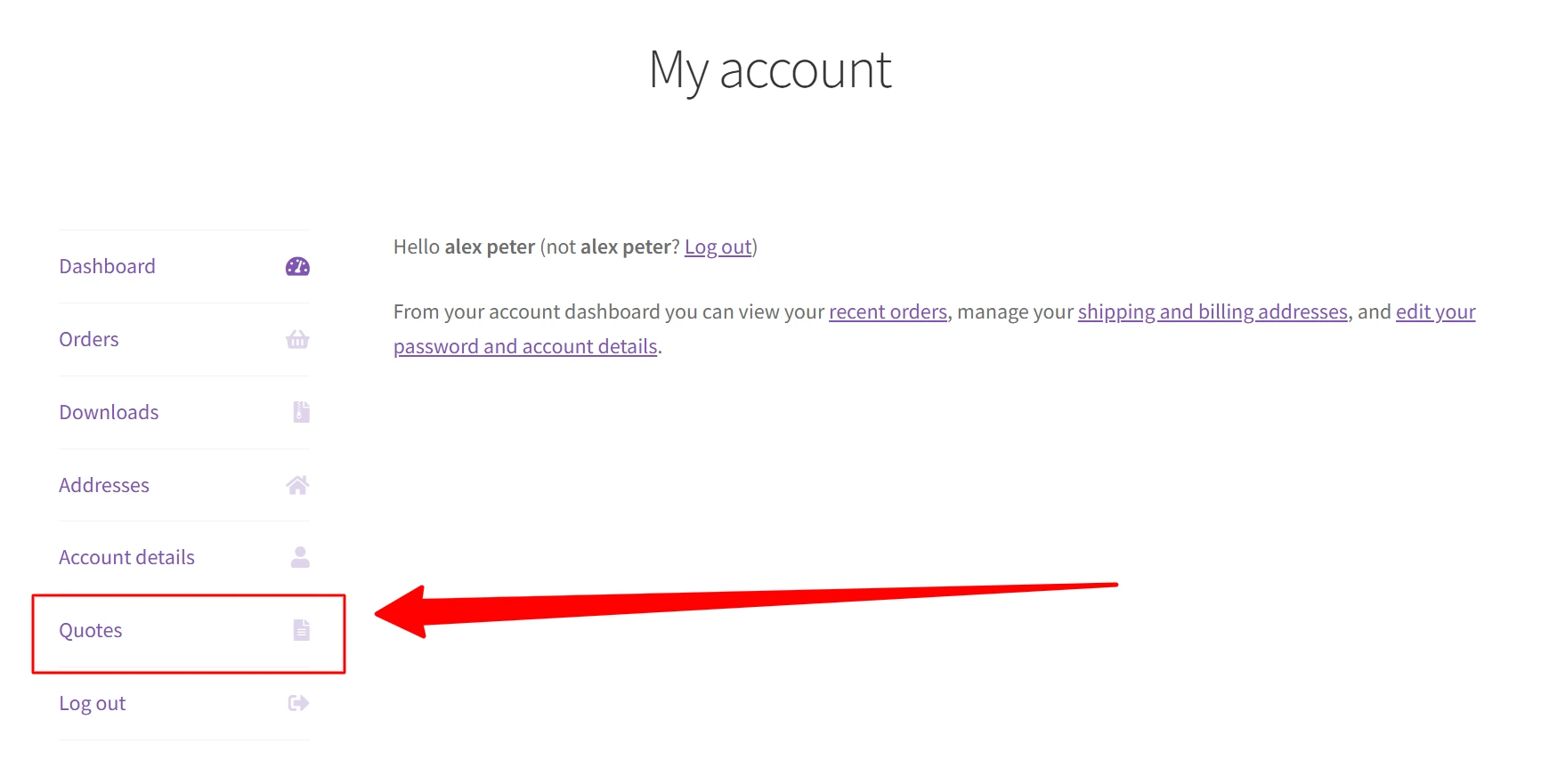
This field controls the label shown in the My Account menu.
By default, it is Quotes.Customers can click this to view their submitted quotes.
This setting controls what happens when a guest submits a quote.
DisabledNo account is created.
Let user choose (optional checkbox)Guests can choose whether to create an account.
Require user registrationGuests must create an account before submitting a quote.
This option helps protect the quote form from spam.
DisabledNo spam protection is used.
Google reCAPTCHA v2Shows a checkbox for verification.
Google reCAPTCHA v3Runs silently in the background.
Click Submit to save your settings.
What are your feelings