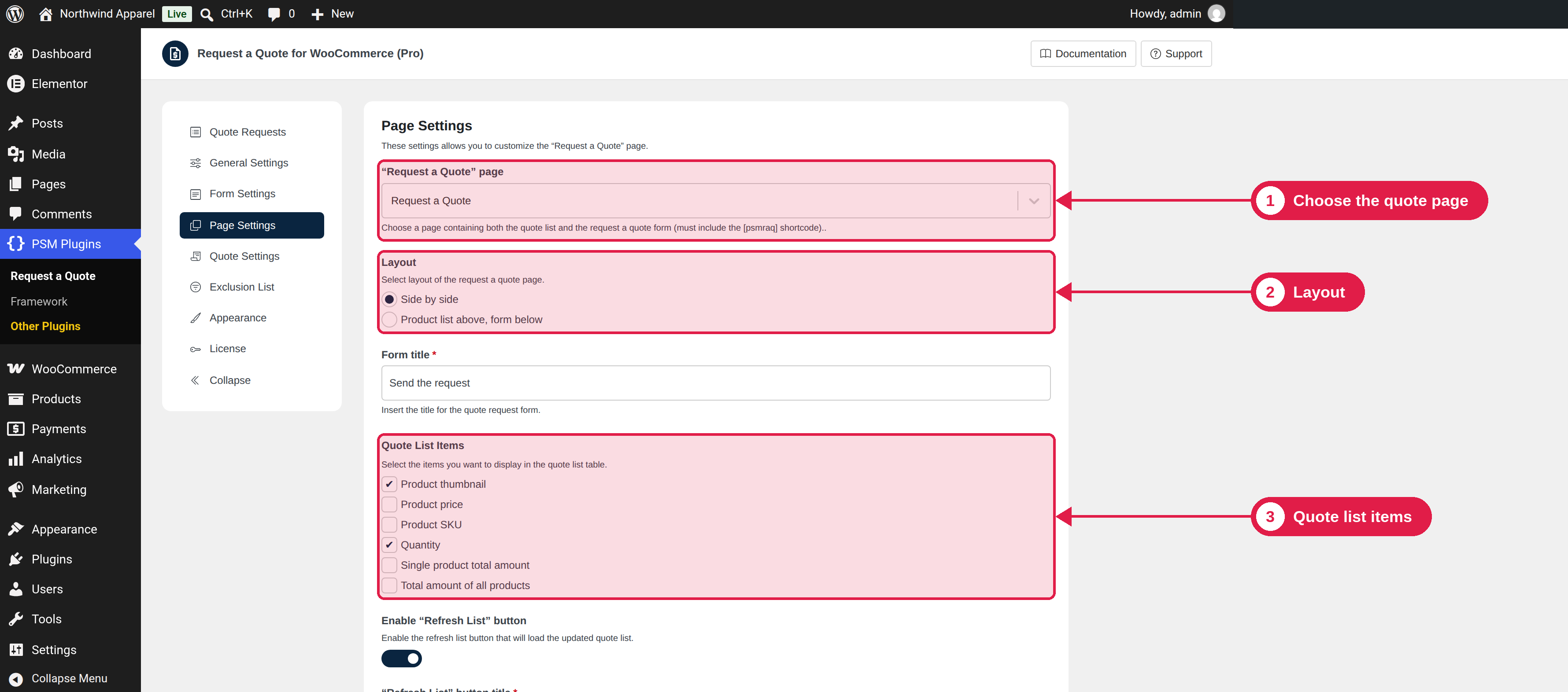
The Page Settings tab controls the Request a Quote page, the quote list on it, and what happens after a customer sends a request.
Plugin Free and Pro
Where PSM Plugins → Request a Quote → Page Settings
Settings
Setting
What it does
Default
“Request a Quote” page
The page that has the quote list and the request form. It must contain the [psmraq] shortcode.
The page the plugin created
Layout
How the page is arranged: Side by side, or Product list above, form below.
Side by side
Form title
The title shown above the request form.
Send the request
Quote List Items
The columns shown in the quote list table: Product thumbnail, Product price, Product SKU, Quantity, Single product total amount, and Total amount of all products.
Thumbnail and Quantity are on
Enable “Refresh List” button
Shows a button that loads the latest version of the list. You can change the button title.
On
Enable “Clear List” button
Shows a button that removes all products from the list. You can change the button title.