
Quote Settings – General
These settings control how quotes are created, displayed, and sent to customers.
Auto Expiry
When enabled, the plugin automatically adds an expiry date to a quote.
The expiry date is set when the quote is sent for the first time.
It will not change an expiry date that already exists.
Show Original Price
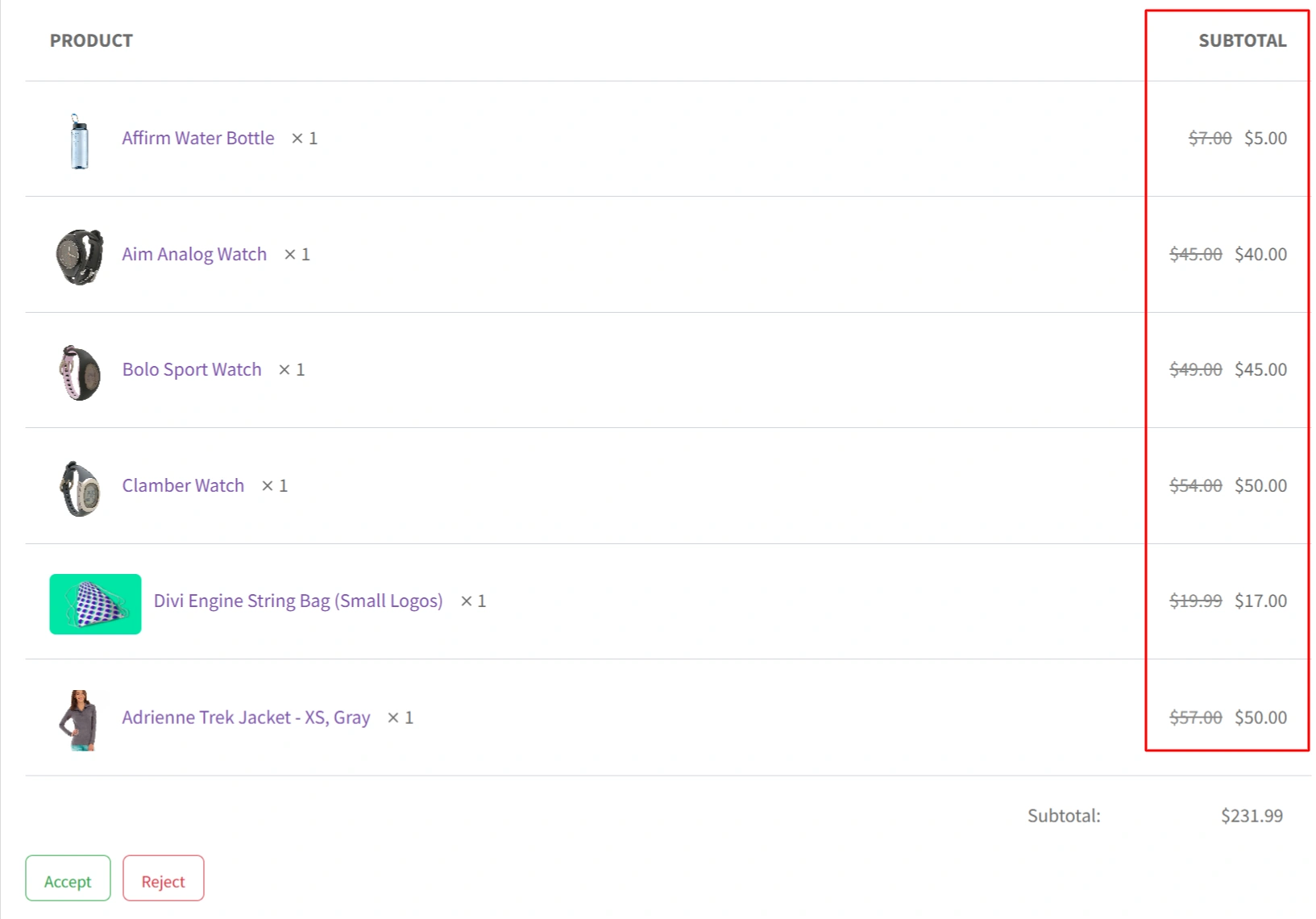
When enabled, the original product price is shown with a strike-through.
The discounted quote price is shown next to it.
This helps customers see how much they save.
Generate and Send Quotes Automatically
When enabled, quotes are created and emailed automatically after the set period of time.
No manual action is needed from the admin.
This is useful when prices are hidden on the shop.
Hide Total Price
When enabled, the total price is hidden in the quote.
Only product details are shown.
Useful when pricing is negotiable.
Allowed Extensions for Quote Email Attachments
Defines which file types can be attached to quote emails.
Enter extensions separated by commas.
Example: .pdf,.jpg,.png
Max File Size (MB) for Quote Email Attachments
Sets the maximum file size allowed for each attachment.
The size is defined in megabytes (MB).
Helps prevent large file uploads.