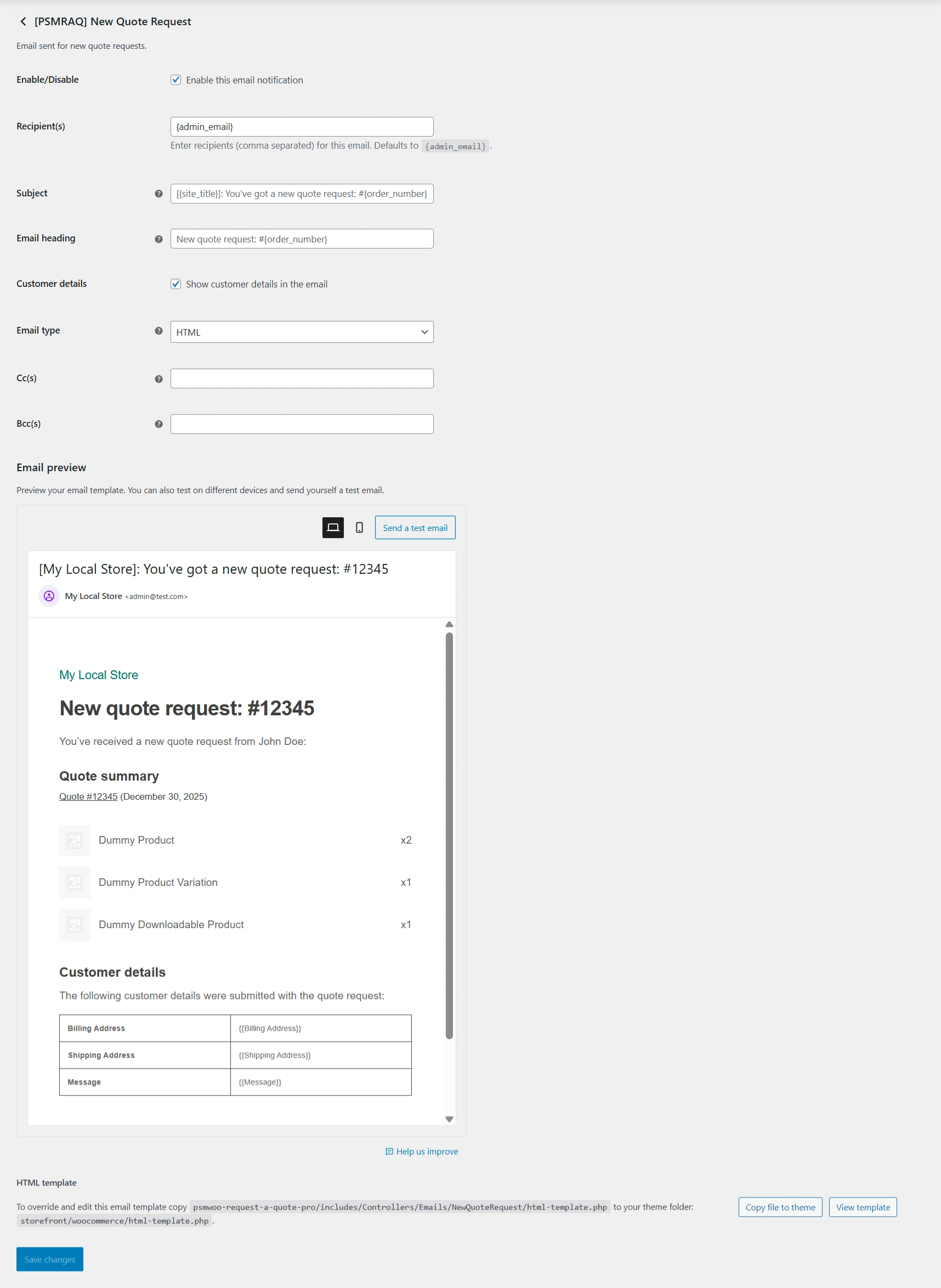
WooCommerce allows you to customize all PSM Request a Quote email notifications directly from the email settings page.
Access Email Settings
Go to WooCommerce → Settings → Emails.
Here, you will see a list of all available email notifications, including those added by PSMRAQ.
Open an Email for Editing
Click the Manage button next to the email you want to customize (for example, [PSMRAQ] Accept Quote).
This opens the email configuration screen.
Enable or Disable Email
Use the Enable this email notification checkbox to turn the email on or off.
If disabled, the email will not be sent.
Configure Recipients
Use the Recipient(s) field to set who receives the email.
You can add multiple email addresses separated by commas.
Update Subject and Heading
The Subject controls the email subject line.
The Email heading controls the main heading shown inside the email body.
You can use placeholders like {site_title} and {order_number}.
Email Type Selection
Choose the Email type (HTML or Plain text).
HTML is recommended for better formatting and readability.
CC and BCC Options
Use the Cc(s) field to send a copy to additional recipients.
Use the Bcc(s) field to send hidden copies without showing recipients.
Preview and Test Email
Use the Email preview section to see how the email looks.
Click Send a test email to test the email delivery.
Customize Email Template
Scroll to the HTML template section at the bottom.
Click Copy file to theme to override the default template.
You can then edit the template from your theme folder for advanced customization.
Save Changes
After making changes, click Save changes to apply them.