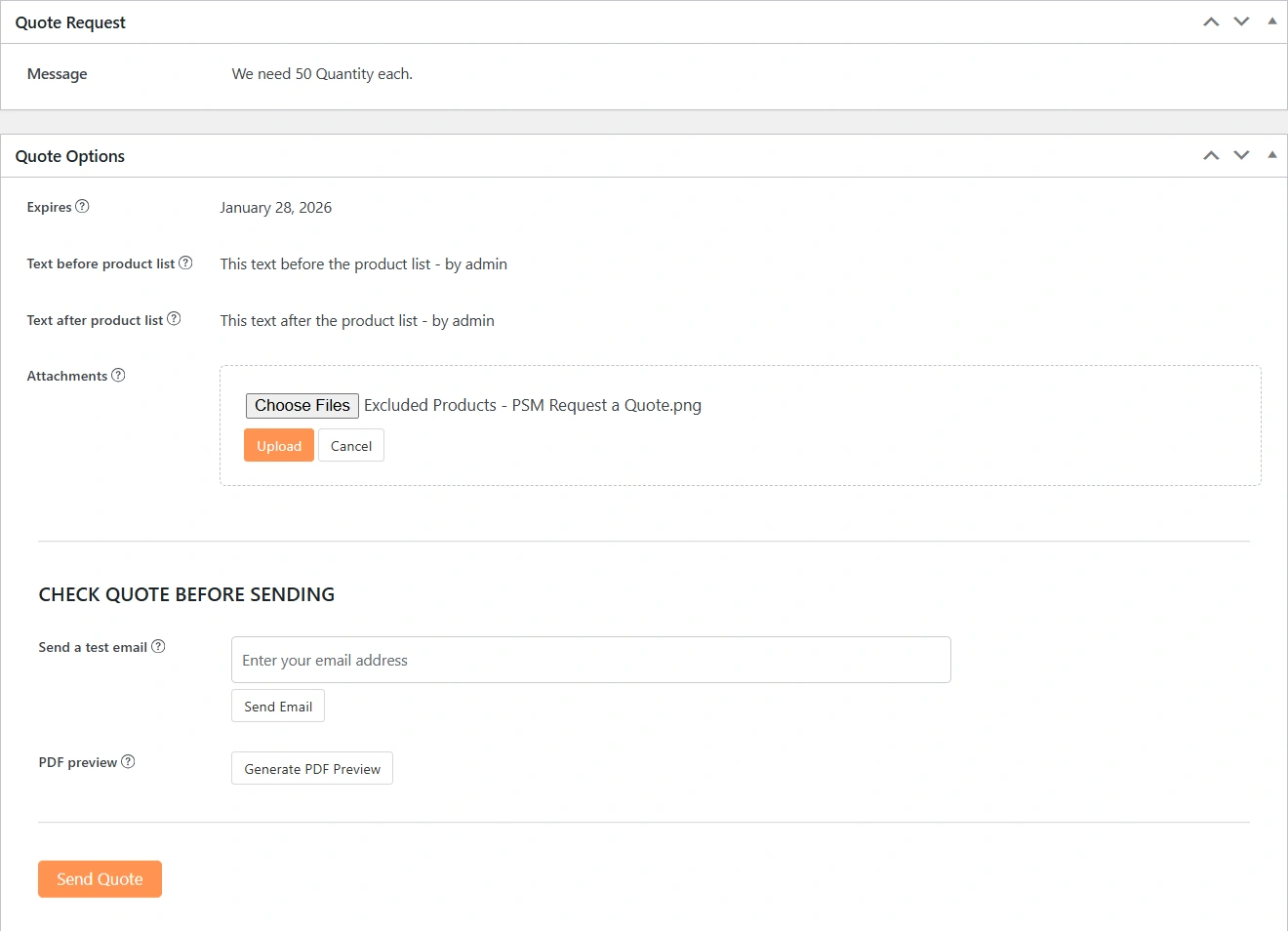
When viewing a quote inside WooCommerce → Orders, the highlighted panels in the order edit screen allow the admin to review, prepare, and manage the quote before sending it to the customer. These sections together form the Quote Actions area.
Quote Request
This section displays the original message submitted by the customer during the quote request process.
It helps the admin understand the customer’s requirements, expectations, or any special notes provided at the time of requesting the quote.
Quote Options
This section lets the admin configure important quote-related settings before sending it to the customer.
Expires
Sets the expiration date for the quote. After this date, the quote will automatically be treated as expired if not accepted.Text before product list
Allows you to add a custom message that appears above the product list in the quote email.Text after product list
Allows you to add a custom message that appears below the product list in the quote email.Attachments
Enables attaching files (such as PDFs, specifications, or terms) that will be included with the quote sent to the customer.
Check Quote Before Sending
This section helps you verify the quote email before sending it to the customer.
Send a test email
Enter an email address and send a test version of the quote email to preview how it will look to the customer.PDF Preview
Check the PDF before sending to the customer.
Purpose of Quote Actions
These actions ensure that the quote is accurate, clearly communicated, and professionally presented before it reaches the customer.
They also give the admin full control over messaging, validity, attachments, and testing—making the quote approval process smooth and reliable.