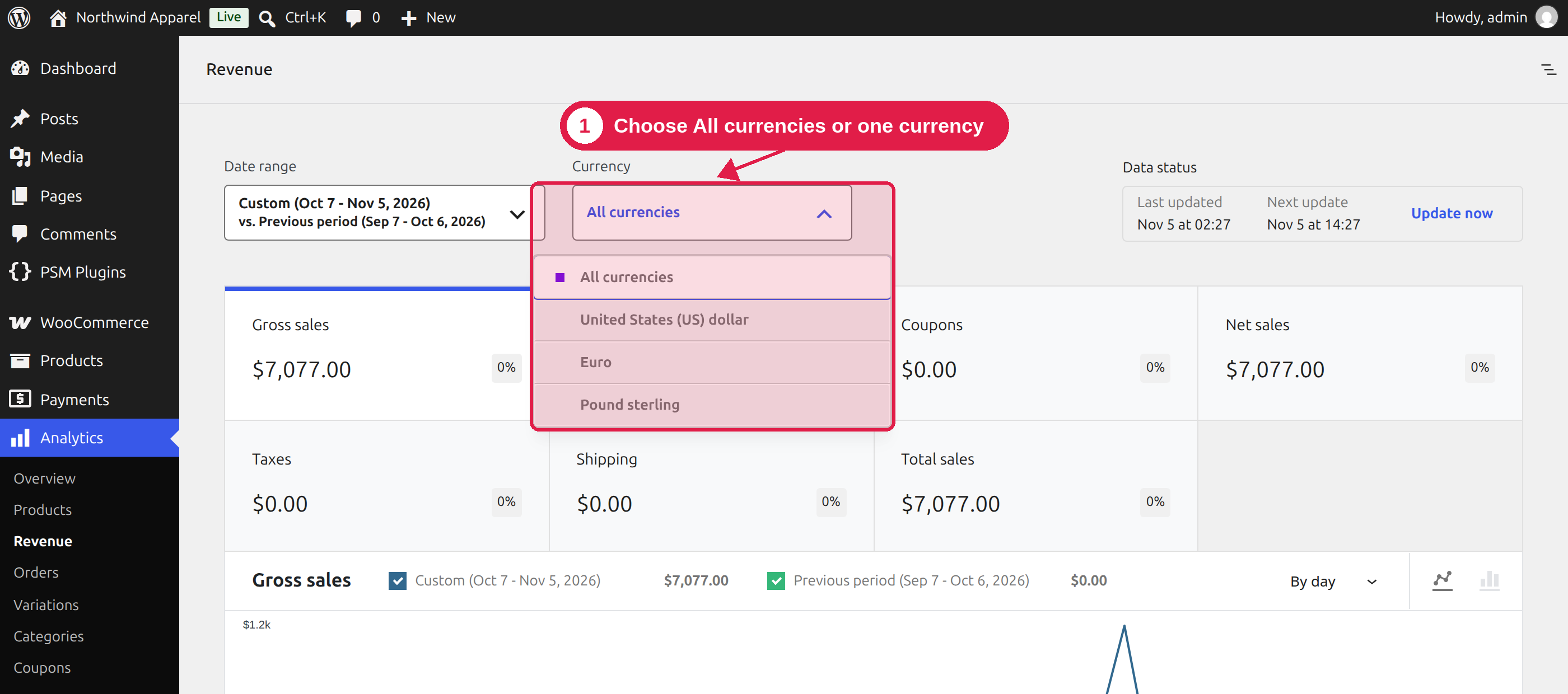
The plugin adds a Currency filter to the WooCommerce Analytics reports. You can see your sales for one currency, or all sales in one combined number.
Plugin Free and Pro
Where WooCommerce → Analytics
Use the currency filter
Go to WooCommerce → Analytics.
Open a report, for example Revenue or Orders.
Use the Currency filter and choose All currencies or one currency.
The filter is available in the Revenue, Orders, Products, Categories, Coupons and Taxes reports, and on the Analytics dashboard.
All currencies or one currency
You choose
What you see
All currencies
All orders, with every amount converted back to your store currency. This gives you one total for your whole business.
One currency, for example EUR
Only orders paid in that currency, with the amounts in that currency.
Old orders keep their own rate
When an order is placed, the plugin saves the exchange rate used. In All currencies, each order is converted with its own saved rate. So later rate changes do not change your old reports.
See the currency on an order
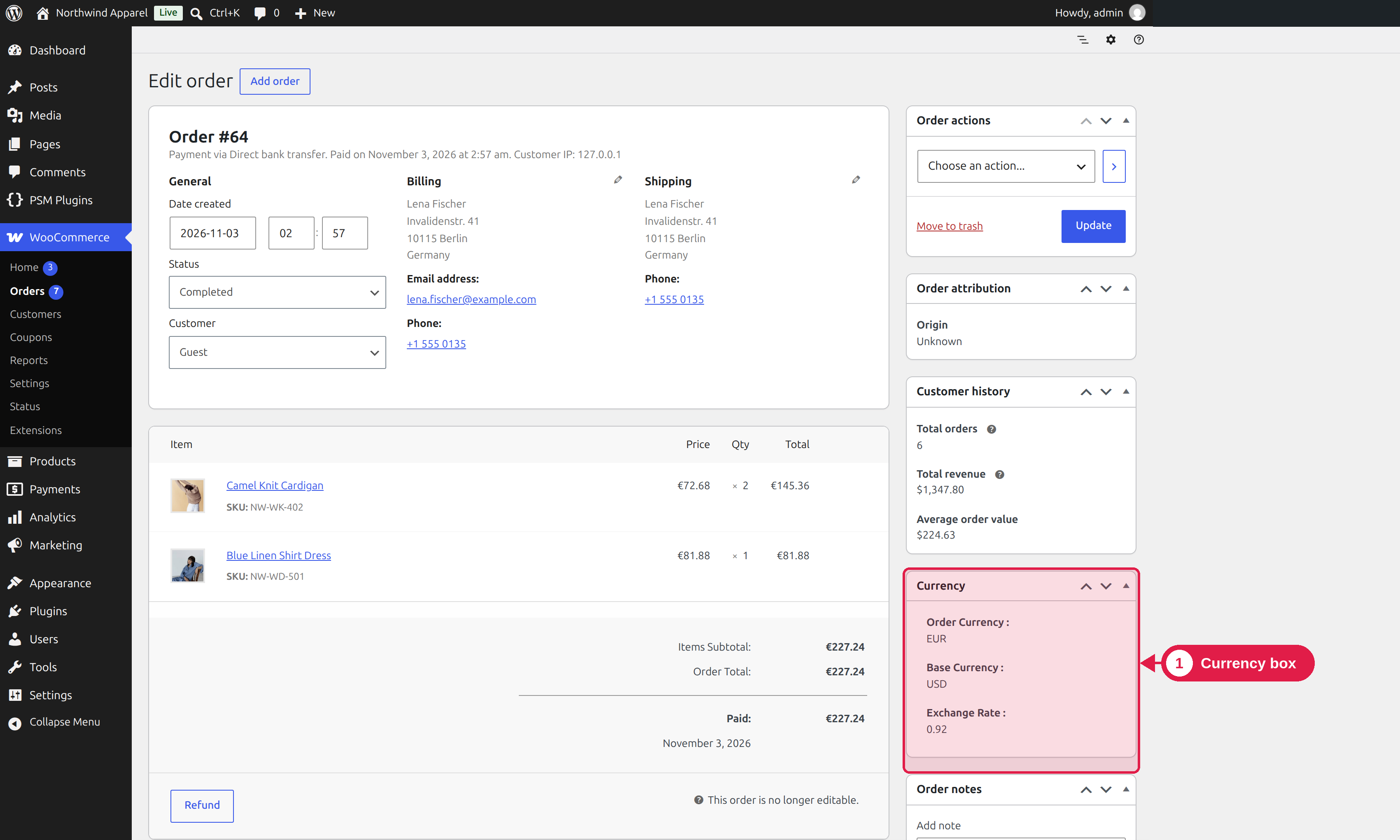
Open any order in WooCommerce → Orders. On the right side, you see a Currency box with:
Order Currency: the currency the customer paid in.