
If your products are sold only by quote, you can hide the prices and the Add to Cart button. Customers can then only ask for a quote.
Plugin Free and Pro
Where PSM Plugins → Request a Quote → General Settings
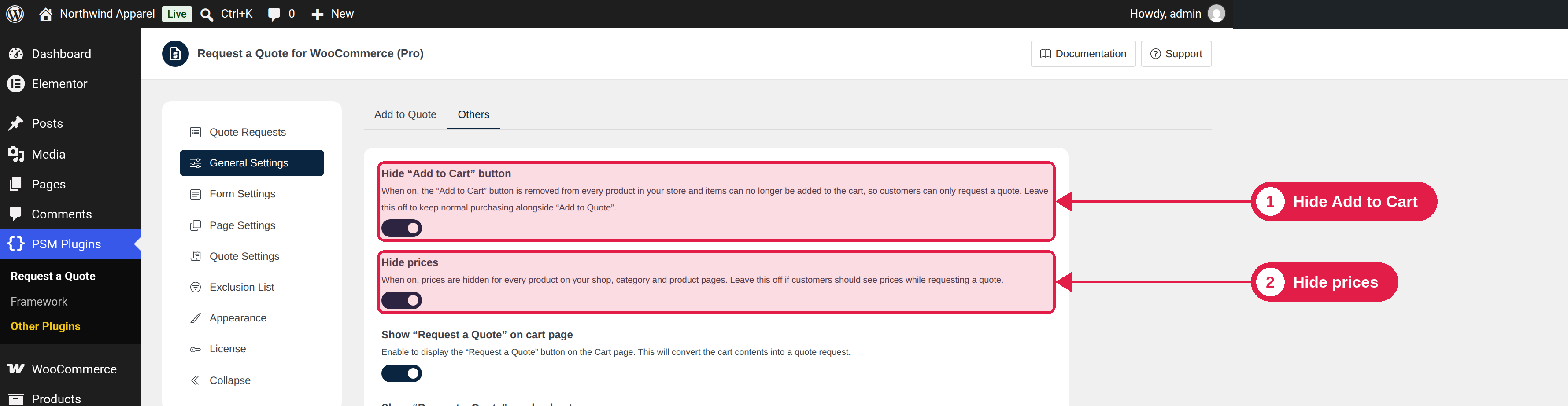
The two settings
Setting
What it does
Hide prices
Hides the price of every product in your shop, on shop pages, category pages and product pages. Leave this off if customers should see prices while they ask for a quote.
Hide Add to Cart button
Removes the Add to Cart button from every product. Items can no longer be added to the cart, so customers can only ask for a quote. Leave this off if you want normal buying next to Add to Quote.
These settings apply to the whole store
They are not per product. If only some products should be quote-only, leave both settings off and use other tools, such as a separate product category for quote products.
Good to know
- Your product prices stay saved in WooCommerce. They are only hidden from customers. Keep them filled in, because the Add to Quote button needs a price to appear.
- If a customer tries to add a product to the cart in another way, for example with a direct link, the plugin removes the item and shows the message “Adding items to the cart is disabled.”
- Hidden prices are removed from the product price display. When you send a quote, the quote shows the prices you set. See Edit and send a quote.
- On shop and category pages, variable products keep their normal button text only if Hide Add to Cart is off. With it on, customers open the product page and use Add to Quote there.