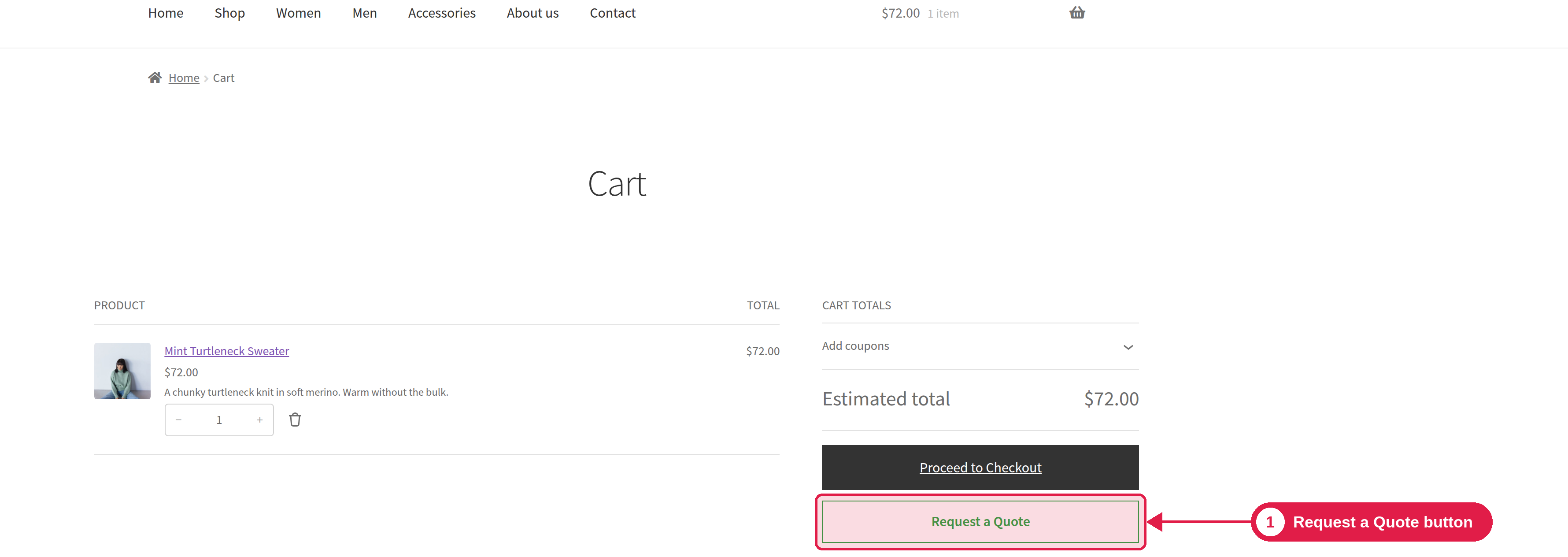
With this Pro feature, customers can turn the items in their cart into a quote request with one click. It is good for customers who started to buy, and then want to ask for a better price.
Plugin Pro only
Where PSM Plugins → Request a Quote → General Settings
Turn it on
Go to PSM Plugins → Request a Quote → General Settings.
Turn on Show “Request a Quote” on cart page and/or Show “Request a Quote” on checkout page.
Click Save Changes.
By default, the cart button is on and the checkout button is off.
What happens when a customer clicks it
The items in the cart are moved to the quote request form, and the customer goes to the Request a Quote page to finish and send the request. The button is shown only when the cart is not empty. It works with both the classic and the block cart and checkout.
Change the button text and colours
Go to Appearance → Buttons and use the Request a Quote button settings. See Button styling.